Every family connection, visible
Gramps2: Family Tree Builder
Your family tree, together
When my mother said we were family of someone, I could never quite picture how — and years later, my children asked me the very same questions. Gramps2 is the answer we needed: an interactive family tree that makes every connection visible. Share it with your family through iCloud, put faces on every branch, and travel from great-grandparents to grandchildren with a pinch and a tap.
See it in action
Gramps2 on iPhone, iPad and Apple TV
A 17-second look at Gramps2 across your devices: the family tree on iPhone and iPad, and the same tree on the big screen with Apple TV.
On the biggest screen
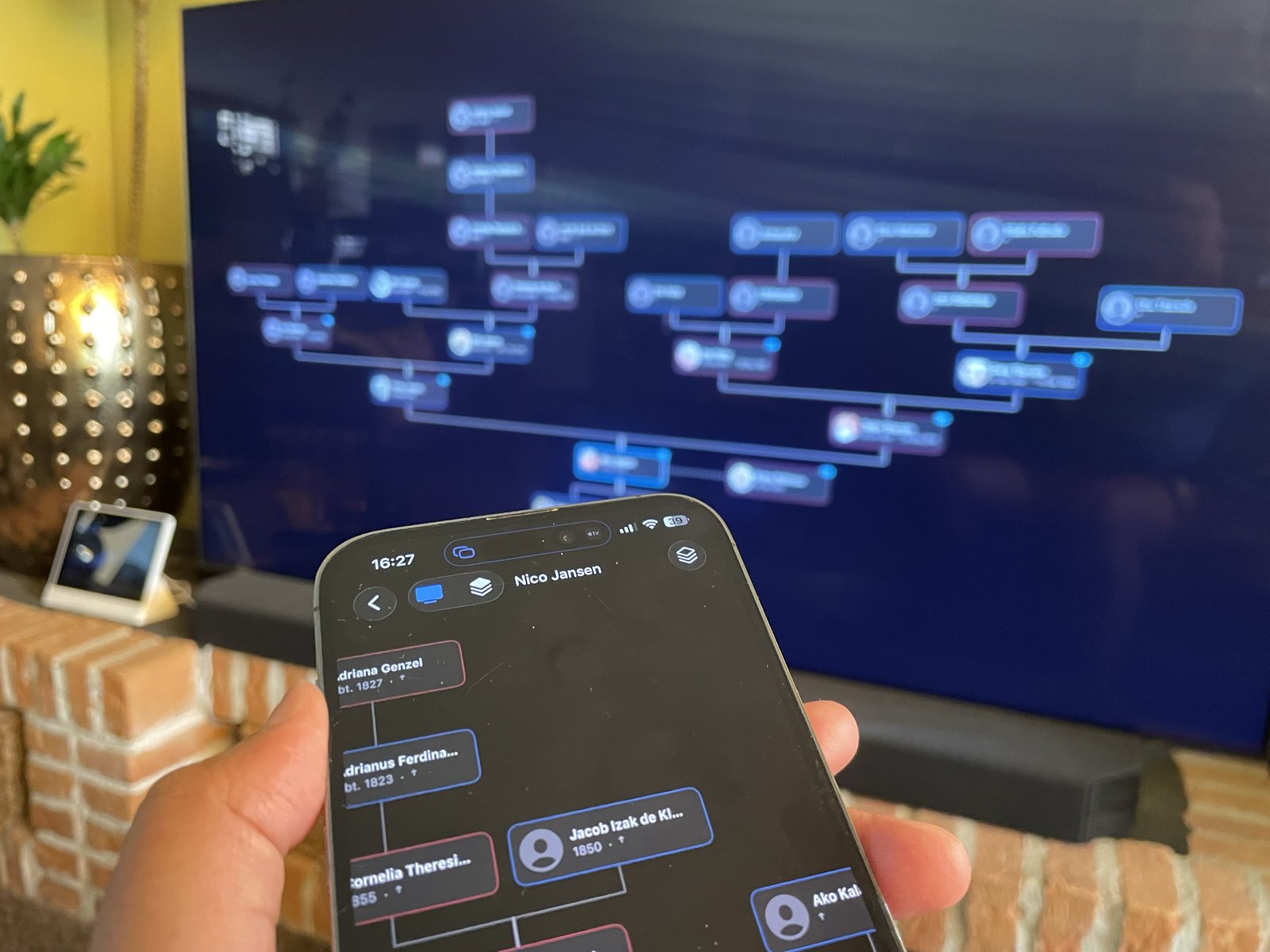
Stream your family tree to Apple TV
A family tree quickly grows wider and deeper than any phone screen. With AirPlay, Gramps2 streams the chart to your Apple TV, so the whole family can follow every relationship and connection on the big screen — while the tree keeps its full width and depth.
Your iPhone is the remote
Choose how many generations of ancestors and descendants the TV shows, and re-center the tree on any relative — all from the phone in your hand.
One tree or all of them
Switch between a single family tree and all your trees combined into one view, without leaving the couch.
More than the chart
Photos, documents, and a person's summary card can take the TV too — with captions readable from the couch, and your iPhone always in control.
Where it all begins
From paper trail to living tree
Every family tree starts somewhere — old photos, handwritten notes taped to a wall, names half-remembered from birthday cards. Gramps2 is where the puzzle comes together: capture what you uncover, connect the generations, and carry the whole story with you on iPhone, iPad and Mac.
Not sure where to start digging? We collected the best free archives per country, worldwide platforms, and hard-won tips from our own research. Explore the genealogy links & tips →

Research assistant
Hand your family record to an AI, and let it dig
Stuck on an ancestor? Open any person, choose Copy Summary, and Gramps2 puts a plain-text family record on your clipboard: names, dates, places, parents, partners, children, siblings, and your notes. Paste it into any AI assistant and ask it to trace the family further. The more it has to work with, the further back it can dig.
One tap, the whole picture
The record covers the person and their immediate family in a fixed, readable layout: birth and death with dates and places, marriages, and every relative with their own dates — so an assistant has real context instead of a lone name.
Ask for what you need
Ask which archives to search, which dates are still missing, how a surname might have been spelled, or for a timeline of the family's moves. Add what you find to Gramps2 and copy again — the richer the record, the better the next answer.
You stay in control
Gramps2 has no AI built in and never sends your family data to one. The record only sits on your clipboard until you decide where to paste it — you choose which assistant, if any, gets to see it.
The family tree, redrawn
A chart you can wander through
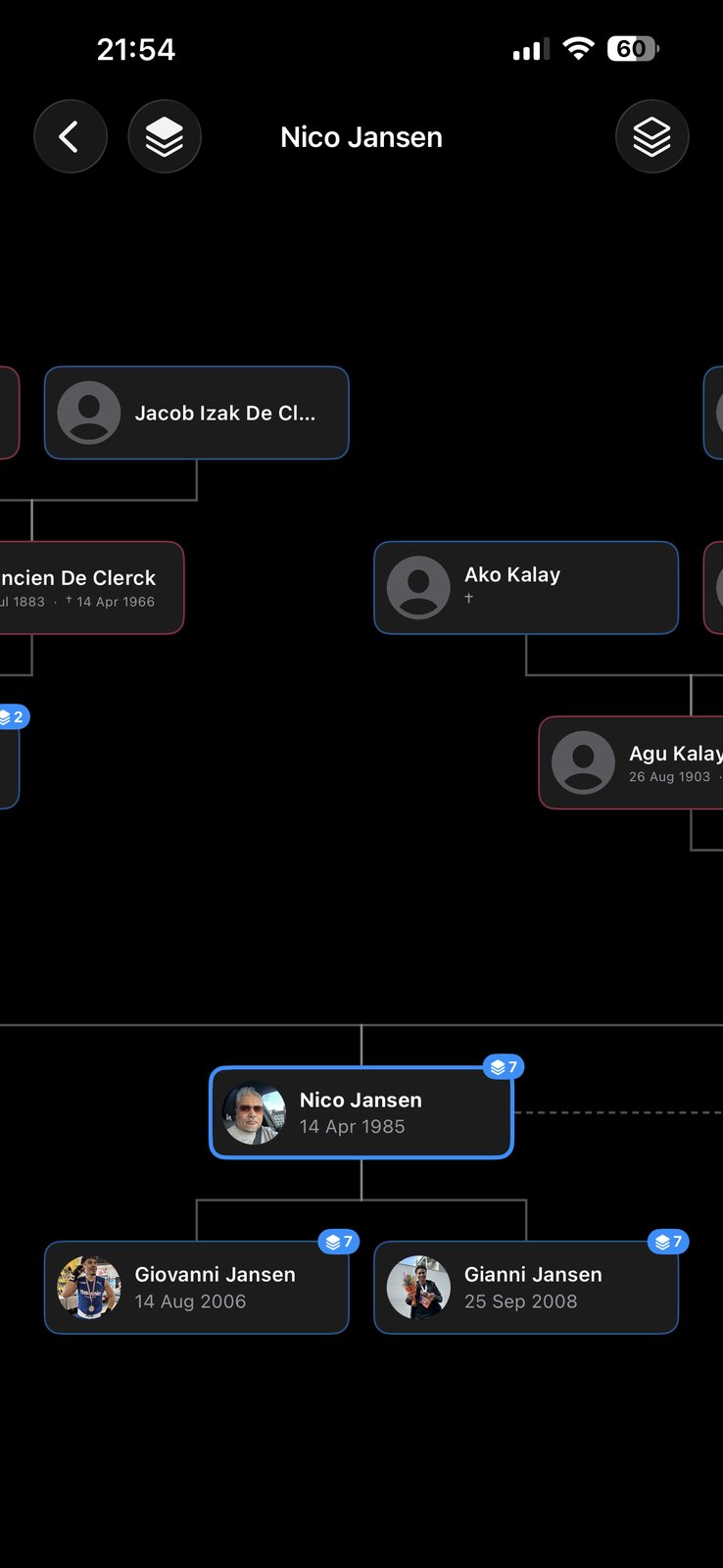
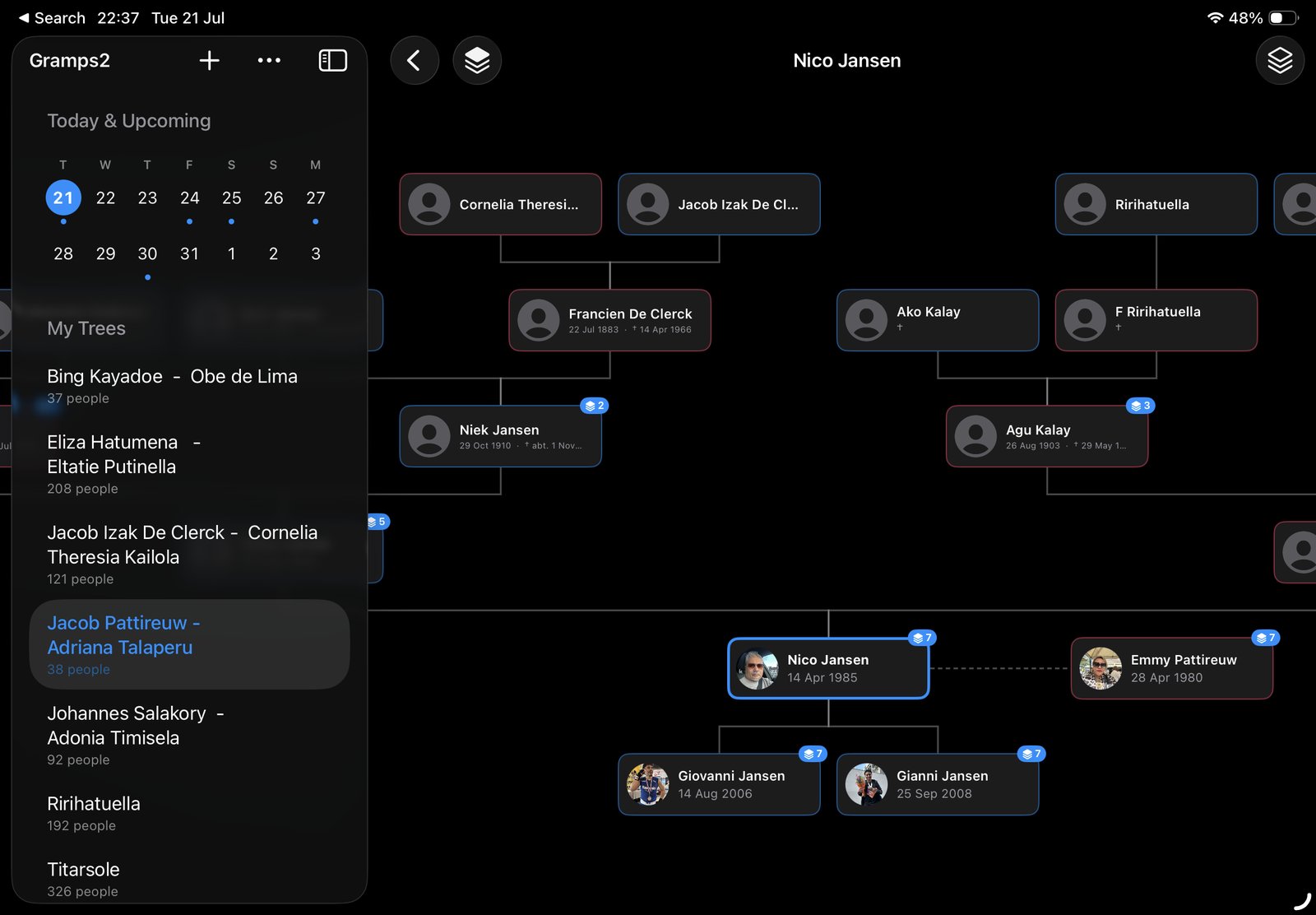
Put anyone in focus, with ancestors above and descendants below. Pinch to zoom, drag to pan, and tap any relative to re-center the tree on them. Profile pictures and life dates sit right on the cards — and when the same person appears in more than one tree, Gramps2 can join your trees into a single view. When it's time to share it, export the whole chart as an image or a PDF — every generation shown, under the focus person's name, ready to print or send to the family.
Everything in one place
All your trees, and every date that matters
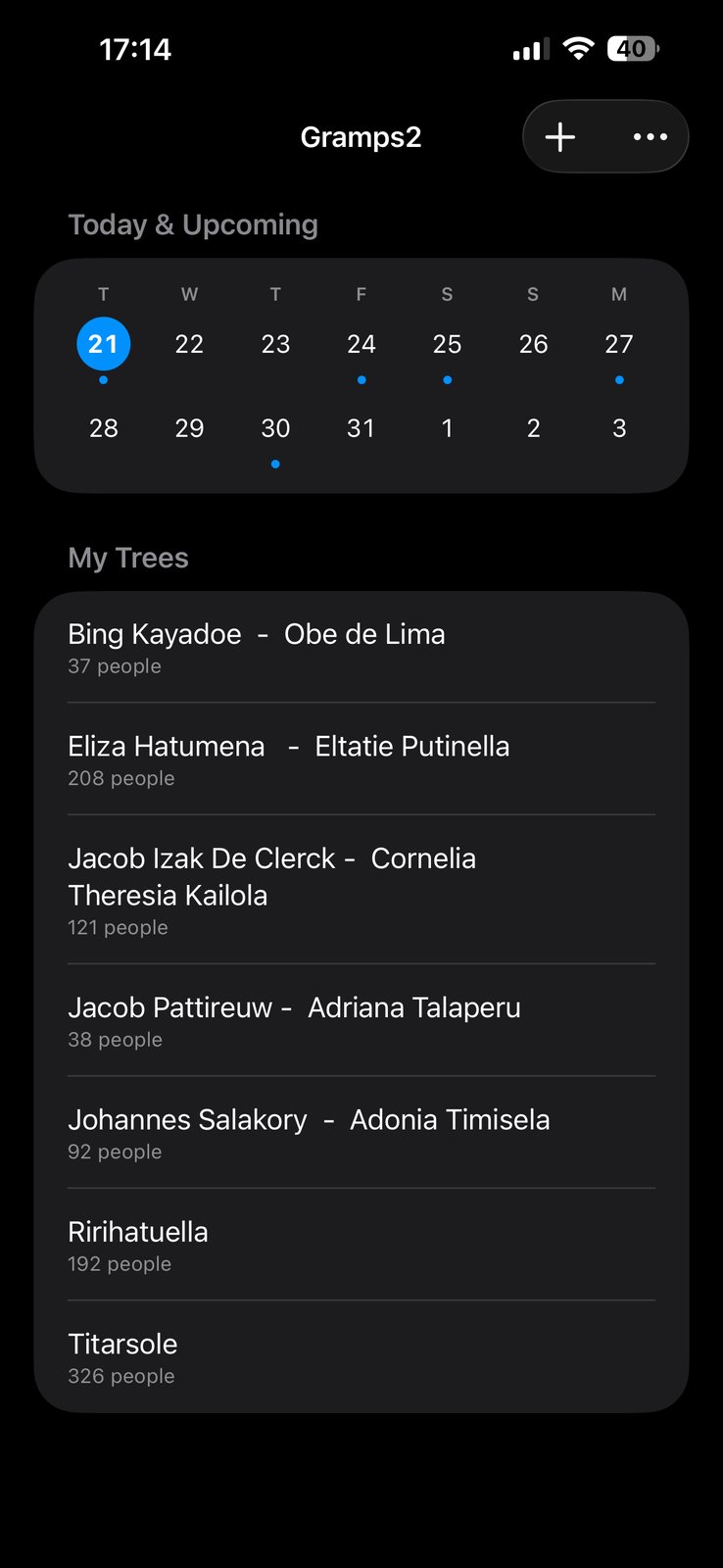
Keep separate trees for each side of the family and see how many people each one holds. The week ahead sits at the top of the home screen, with a dot for every upcoming birthday or remembrance day.
Faces and stories
Every person, in full
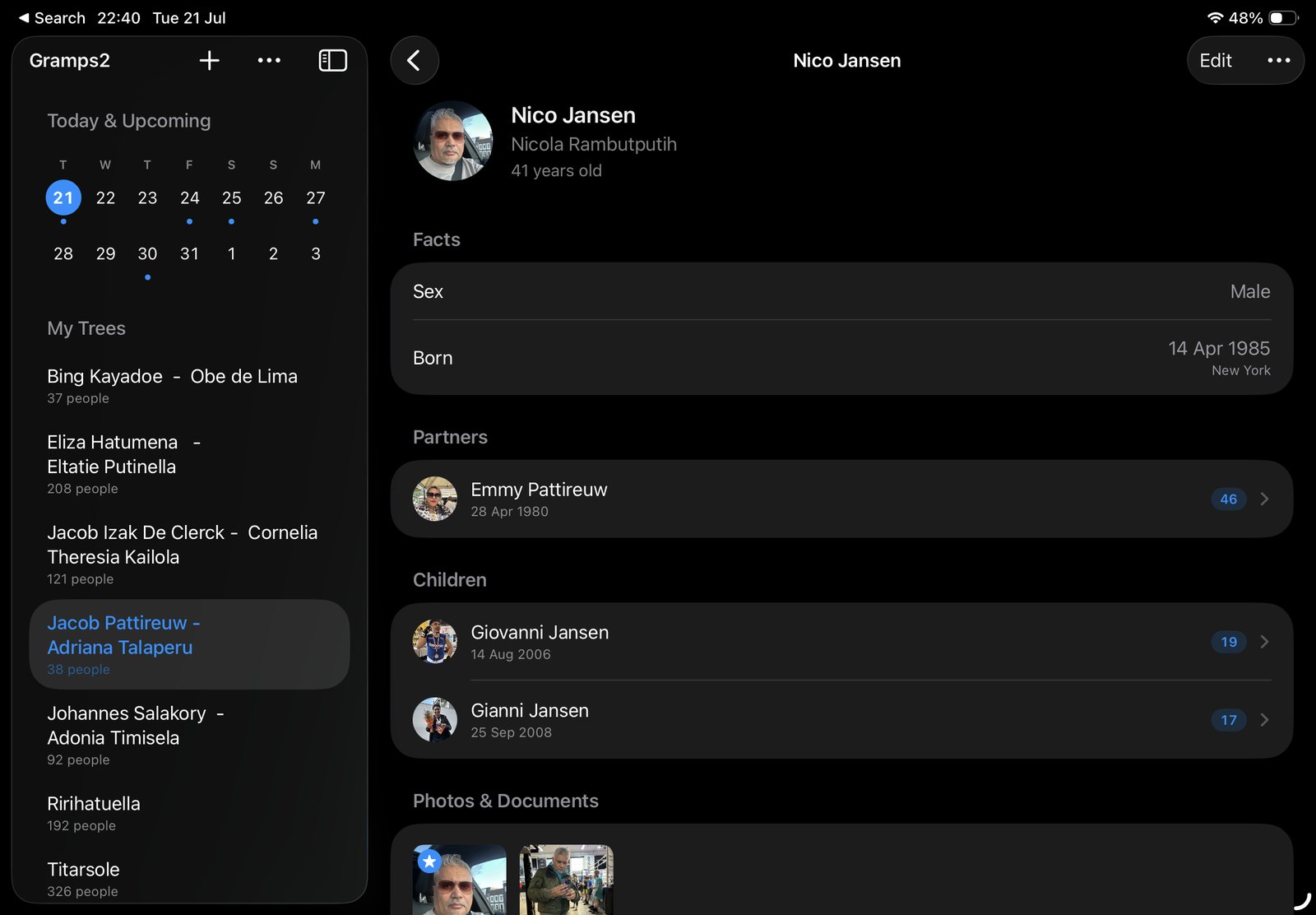
Open anyone in the tree to see their life at a glance — facts, partners, children, and contact details, each one tap away. Attach photos and documents to a person and star one as their profile picture; it follows them through the chart, lists, and reminders.
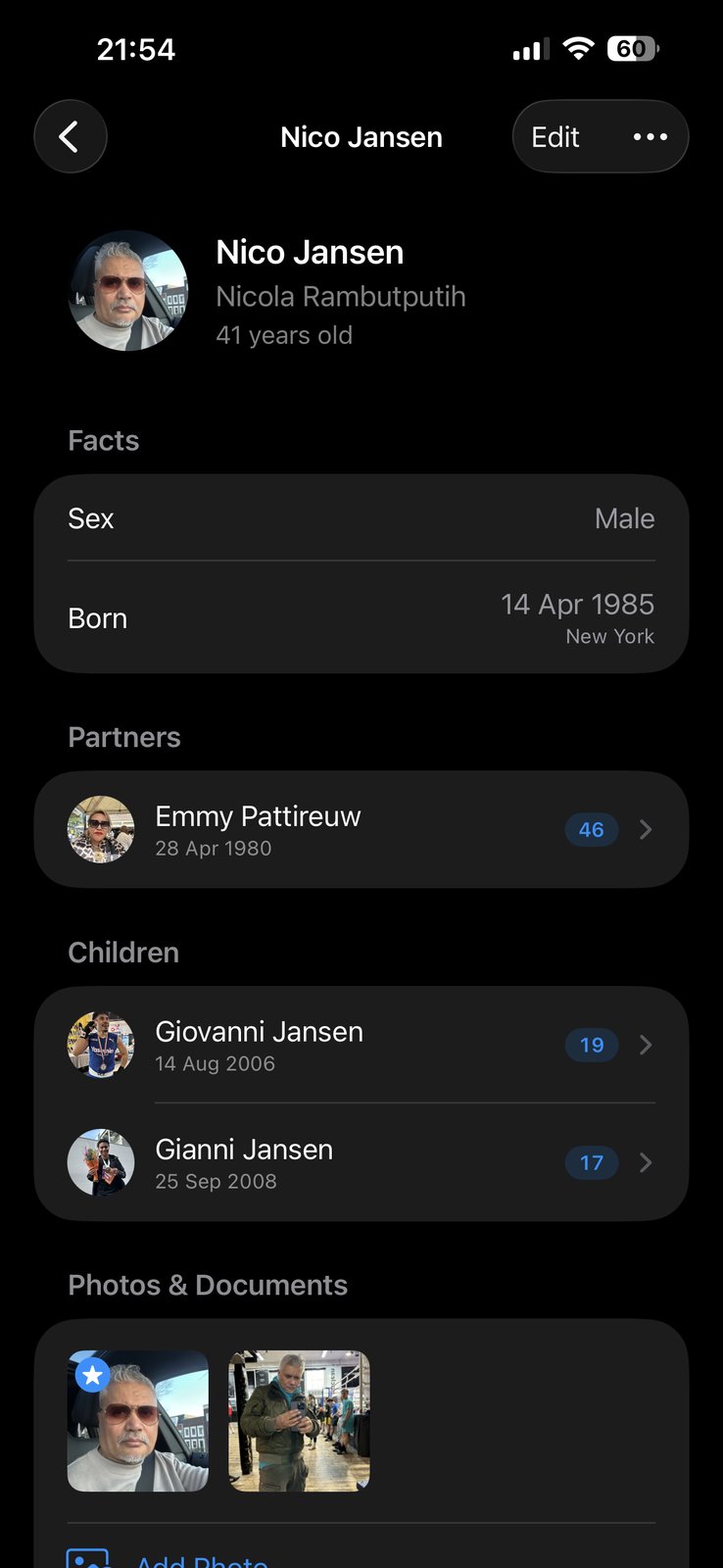
Contact details
The living side of the tree
A family tree isn't only about the past. Give any person an email address, phone number, and postal address, right on their page. Email and phone are tappable, and every detail carries the date it was last changed — so an old address reads as old instead of pretending to be current.
Kept with the person
Contact details live alongside someone's other facts. They're included in the Copy Summary record, and when the same person appears in more than one of your trees, the details follow them there too.
Import from Contacts
Tap Import from Contacts and pick someone from your address book: their email, phone, and address fill in at once. It uses Apple's contact picker, so Gramps2 never needs access to your whole address book — only the contact you pick comes across.
Add to Contacts
Going the other way, Add to Contacts opens a ready-made contact card with the person's name, nickname, birthday, and details. Create a new contact or add them to an existing one — their birthday lands in your Contacts along with the rest.
On your wrist
Birthdays and remembrance days, remembered
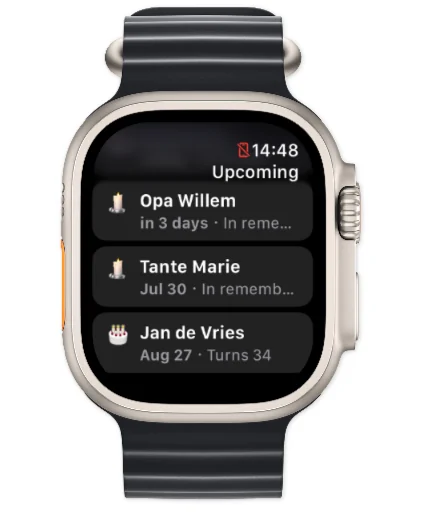
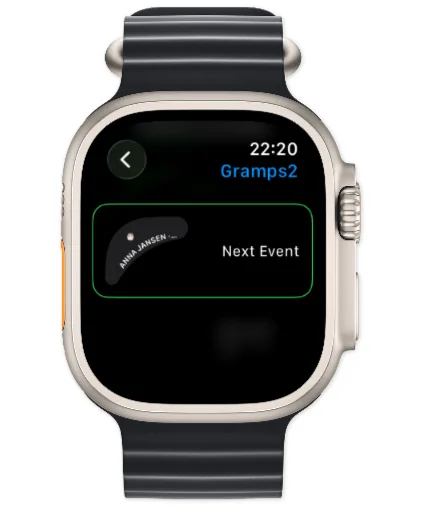
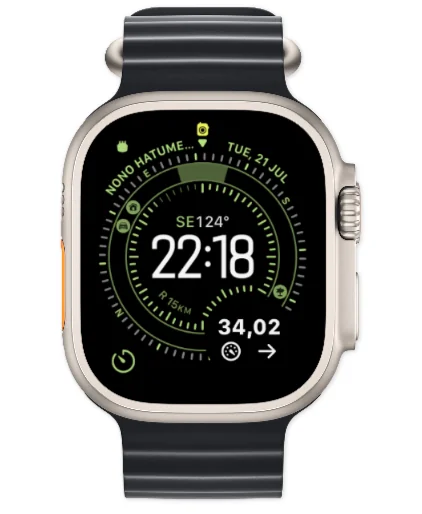
Gramps2 doesn't only celebrate the living. Alongside birthdays, it can remind you of the day someone passed away and of the milestones since — with notifications at the time you choose, an Upcoming Events widget for your Home Screen, and a companion app on Apple Watch, complete with watch-face complications.

Room to breathe
At home on iPad
The full app, laid out for the big screen: your trees and upcoming events in a sidebar, with the chart or a person's story beside them. Explore generations side by side, exactly where a family tree belongs.

New · On your Mac
Your family tree, now on the Mac
Real research happens at a desk, with the archives open in one window and your tree in the next. Gramps2 now runs as a native app on your Mac — the same trees you keep on iPhone and iPad, synced through your own iCloud. Add a name on the couch, and it's waiting on your Mac when you sit down to dig deeper.
Room for every generation
A Mac screen holds far more of the chart than any phone. Pan with the mouse or trackpad, zoom with the buttons on the chart, and keep more ancestors and descendants in view at once.
Picks up where your iPhone left off
Same app, same trees, nothing to set up. Everything syncs through iCloud, and a tree you share with the family is just as shared on the Mac — edits from any device appear everywhere.
Built for desk work
Import a GEDCOM file you downloaded from an archive or another genealogy program, attach scanned photos and documents, and export the chart as a PDF or image for the printer on your desk.
What's inside Gramps2
Everything a family tree needs — plus the features families kept asking for.
Share a tree with family
Invite family members to a tree through iCloud. Everyone you invite sees the same tree, and changes sync live between all participants — grandma adds a photo, you see it appear.
Profile pictures
Give every person a face. Attach multiple photos to a person and pick one as their profile picture — it shows up on the tree chart, in lists, and in reminders. Documents too: attach PDFs and read them right in the app.
More than birthdays
Get reminded of birthdays and of remembrance days — the anniversary of someone's passing and the milestones since. For someone who has passed away, their birthday shows both the age they would have turned and the age they reached. You choose which reminders you want and at what time they arrive.
GEDCOM import & export
Bring an existing tree in from Ancestry, MyHeritage, or any desktop genealogy tool, and export yours the same way. Your family data is never locked in.
Stream to Apple TV
Family trees outgrow a phone screen fast. AirPlay the chart to your Apple TV and use your iPhone as the remote — set the number of generations shown and view one tree or all your trees combined.
iPhone, iPad, Mac & Apple Watch
One app across your Apple devices, synced through iCloud — now including a native Mac app. Add the Upcoming Events widget to your Home and Lock Screen and the companion app to your Apple Watch, and the next birthday or remembrance day is always a glance away.
Privacy first
Your family, your data
Gramps2 is built for the most personal data there is — and treats it that way.
It stays on your devices
Your tree lives on your iPhone, iPad and Mac and syncs through your own iCloud account. No niApps servers, no website, no account to create.
Shared only with people you choose
A tree is visible to exactly the family members you invite through iCloud — and nobody else. We can't see your family data.
Your data stays yours
We store nothing about your family on our own servers. The app only collects anonymous usage statistics — never names, dates, or photos.
Start your family tree today
Gramps2 is on the App Store for iPhone, iPad and Mac, in seven languages: English, Dutch, German, French, Spanish, Italian, and Brazilian Portuguese.