Genealogy · Research with AI
How to Use AI for Genealogy: A Practical Guide to Family History Research
An AI assistant will not find your great-grandmother for you. It can tell you where to look, read the record when you find it, and notice what you missed. Here’s how to use it without ending up with ancestors who never existed.
By Nico Jansen, maker of Gramps2··16 min read
🇳🇱 Lees dit artikel in het Nederlands →🇩🇪 Diesen Artikel auf Deutsch lesen →🇫🇷 Lire cet article en français →🇪🇸 Leer este artículo en español →🇮🇹 Leggi questo articolo in italiano →🇵🇹 Ler este artigo em português (Portugal) →🇧🇷 Ler este artigo em português (Brasil) →
The short answer
To use AI for genealogy, give an assistant such as ChatGPT, Claude or Gemini everything you already know about one person and their family, and ask it one specific research question at a time. Use it to plan where to search, to read and translate old records, and to spot gaps, and confirm every fact it gives you in an original record before it goes in your tree.
Every family tree has a person where the trail stops. You have a name, perhaps a year, and nothing above them. Genealogists call it a brick wall. You have searched the obvious sites twice, and you no longer know what to try next.
That is the moment an AI assistant is useful. Not because it knows who the parents were. It doesn’t. It is useful because it has read a great deal about how records were kept, in which archive, in which language and under which spelling, and it never tires of your questions. Used that way it is a patient research partner. Used as an oracle it invents ancestors, and it does so in a confident tone.
This guide shows the difference. It covers what an assistant is good and bad at, a method in six steps, prompts you can copy, and the checks that keep made-up facts out of your tree.
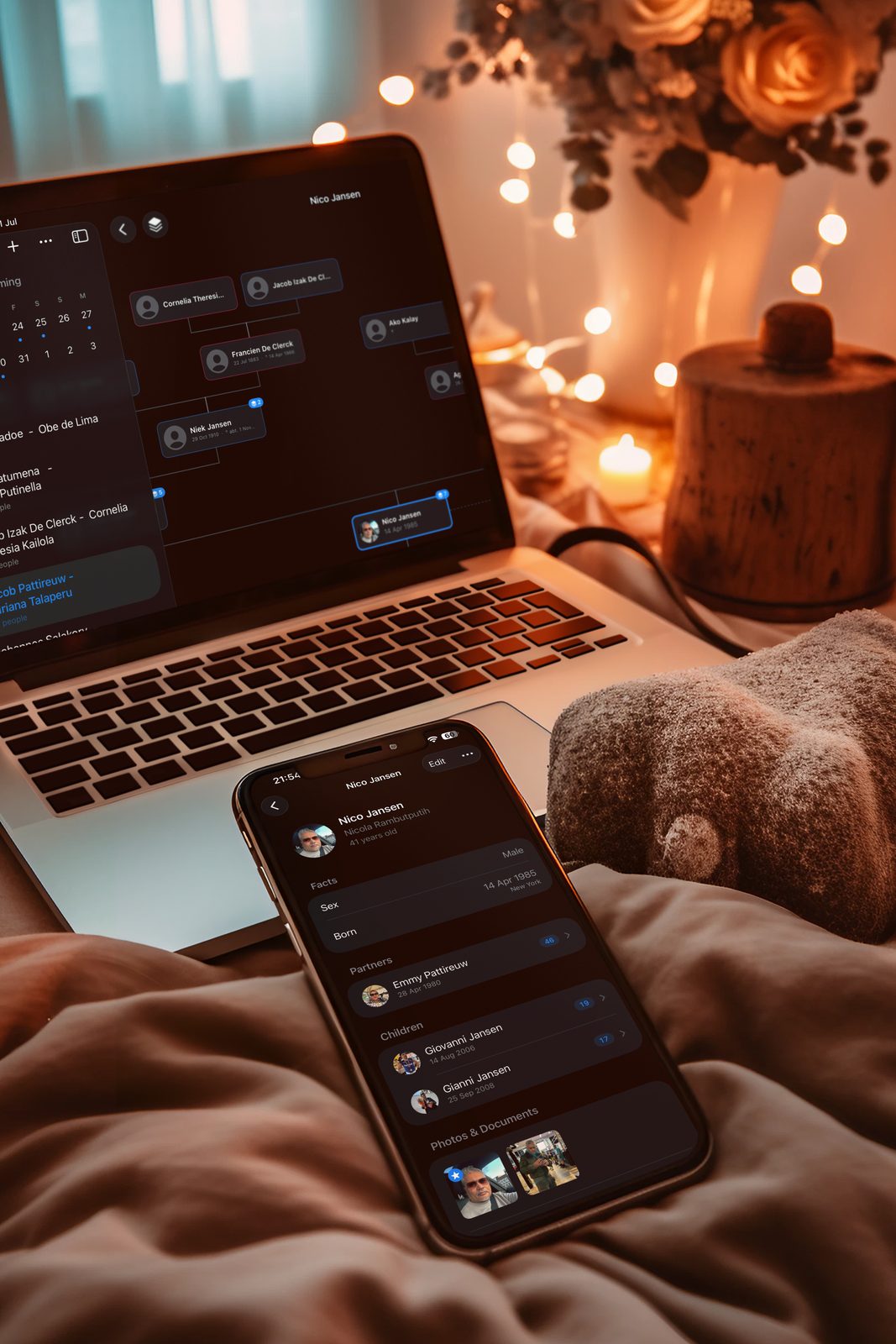
What can AI do for genealogy?
An AI assistant is a research helper that knows a lot about records and archives in general, and nothing reliable about your own ancestors. It works by producing the most plausible text that follows your question. For “when did civil registration start in Scotland” the plausible answer is also the right one, because thousands of pages say so. For “who was the father of Thomas Carter, born in Leeds around 1842” there is no page to lean on, and the most plausible answer is a guess.
So the dividing line is simple. Ask about how genealogy works and you get good answers. Ask about your specific family and you get leads that need checking.
| Task | How well it works | What you still do |
|---|---|---|
| Planning where to search | Good. It knows which record types exist for a place and period and which archive usually holds them. | Check that the archive and the collection really exist. |
| Spelling variants of names and places | Good. It lists the ways a surname or village was written, including old and foreign forms. | Search each variant yourself. |
| Finding gaps and contradictions | Good. Give it a family record and it sees the missing date or the child born after the mother died. | Decide which of the two facts is wrong. |
| Translating and explaining records | Good. Latin, old German or Dutch formulas, abbreviations and old occupations. | Check names and dates against the image. |
| Transcribing handwriting | Fair to good, depending on the hand. Running text comes out better than names. | Compare every name, date and place with the original. |
| Writing up what you found | Good. A biography, a timeline or a summary for the family, from the facts you supply. | Tell it to add nothing, and reread for things you never said. |
| Facts about a specific ancestor | Poor. Dates, parents and source references can be invented. | Treat as a guess until you have seen a record. |
Which AI assistant should you use?
Any of the large general assistants will do: ChatGPT, Claude, Gemini or Copilot. They differ less than the way people use them. A vague question gets a vague answer from all of them, and a full family record with a precise question gets a useful one from all of them. Use the one you already have.
Three things are worth checking in whichever one you choose:
- Web search. With search on, the assistant can look up the current website of an archive and link to it. With search off, it answers from memory, and addresses and collection names may be out of date. Ask for links, and open them.
- Images. To have a record read, the assistant has to accept a photo or scan. Most current ones do.
- Privacy settings. Look up whether your conversations are used to train the models, and switch that off if you prefer. More on this below.
Next to the general assistants there are tools built for one genealogy job. FamilySearch has a full-text search that uses handwriting recognition to make scanned records searchable by every word in them, not only by the indexed names. Transkribus is a platform for transcribing handwritten historical documents, with models trained on old scripts. The big commercial platforms add their own AI features as well. Those tools work on the records themselves. A general assistant works on your questions. You will want both.
How to use AI for genealogy in 6 steps
1. Write down what you already know
Pick the person you are stuck on and collect everything you have: full name, birth, marriage and death with dates and places, and the same for their parents, partners, children, brothers and sisters. Add the loose ends too. An occupation from a census. A family story. A witness at a wedding with the same surname.
This step is for you as much as for the assistant. Many a brick wall gets its first crack the moment you put the facts in one place and see which one is missing. If you have not started a tree yet, our guide on how to start a family tree comes first.
2. Give the assistant the whole family, not a lone name
The most common mistake is asking about a name. “Find the parents of Thomas Carter” can only be answered with a guess, because there were many men called Thomas Carter. A person becomes unique through their family: the wife, the children, the dates, the street.
So paste the whole record. Something like this, with a made-up family as the example:
Thomas Carter (male)
Born: about 1842, Leeds, Yorkshire, England
Died: 14 March 1901, Bradford, Yorkshire (aged about 59)

Parents: unknown

Partner: Mary Ann Holroyd (born 1845, Halifax; died 1912, Bradford)
Married: 3 June 1866, Halifax

Children:
- William Carter (born 1867, Halifax)
- Sarah Carter (born 1869, Bradford; died 1871, Bradford)
- John Holroyd Carter (born 1872, Bradford)

Siblings: possibly a brother, Joseph Carter (born about 1839)

Notes: Wool sorter in the 1881 census. Family story says his
father came from Ireland. Thomas could not sign his name on
the marriage certificate.
Now the assistant has something to reason with. A wool sorter who moves from Halifax to Bradford between 1867 and 1869. A second son with his mother’s maiden name as a middle name. A possible Irish father and a possible brother. Each of those is a thread, and you did not have to explain any of them.
Typing such a record by hand for every person is tedious, which is why most people skip it and get poor answers. If your tree lives in an app, see whether it can produce the record for you.
3. Ask one specific question at a time
Under the record, ask a question that has an answer. Not “tell me more about this family”, but:
- Which records could name Thomas’s parents, and where is each of them kept?
- Which dates and places are still missing in this record? Put them in the order I should look.
- How might the surname Holroyd have been written in Yorkshire registers in the 1800s?
- If his father came from Ireland, which records in England would show that?
One question per message works best. When you ask five things at once, you get five shallow answers. Ask the assistant to say how sure it is and why, and to tell you plainly when it does not know. It will not always do so, but it helps.
4. Let it read and explain the records you find
The search itself you do in the archive or on the genealogy site. When you find a record, the assistant becomes useful again. Give it the photo or type out what you can read, and ask it to transcribe the entry line by line, translate it, and explain the formula. A Latin baptism entry, a German church book in old script or a Dutch notarial deed stops being a wall of ink.
Add one instruction every time: mark every word you are unsure of, and do not guess names. Without it, an assistant fills an unreadable surname with a likely one, and you will not see that it did.
5. Verify every answer against an original record
This is the step that separates research from fiction. An answer from an assistant is a lead, never a source. If it says the marriage was probably in Halifax, look up the marriage in the Halifax registers. If it names an archive or a collection, open the website and see that it exists. If it quotes a record, find the record.
In your tree, the source note names the register and the page you saw. It never says “according to ChatGPT”. If you cannot find a record for something the assistant told you, it does not go in the tree, however well it fits.
6. Add what you find and ask again
Put the confirmed facts in your tree. Then copy the record again, now with the new date or the new parent in it, and ask the next question. The record gets richer each round and the answers get sharper with it. An assistant that knew only a name in round one knows three generations, two towns and an occupation by round four.
Start a new conversation now and then, with the fresh record at the top. In a very long chat an assistant starts mixing up early guesses with later facts.
Genealogy prompts that work
A good genealogy prompt has three parts: the family record, one question, and an instruction about uncertainty. The table gives prompts for the jobs an assistant does well. Paste your record first, then the prompt.
| What you want | Prompt |
|---|---|
| A research plan | Here is a family record. Which records could prove who this person’s parents were? For each one, say what it contains, where it is kept and how to search it. Say so if you are not sure a collection exists. |
| A to-do list | Which dates, places and relatives are missing in this record? Sort them by how easy they should be to find, easiest first. |
| Spelling variants | List the ways the surname and the place names in this record may have been written in registers of that region and period, including Latin and dialect forms. |
| A check for errors | Look for contradictions and unlikely facts in this record: ages, dates that cannot both be true, places that do not match. List them, do not fix them. |
| A transcription | Transcribe this record line by line, exactly as written. Mark every word you are unsure of with [?]. Do not guess names or dates. |
| A translation | Translate this record into English and explain the abbreviations and set phrases. Keep names and place names as they are written. |
| Same person or not? | Here are two records. List the evidence for and against these being the same person. Do not decide for me. |
| Historical context | What was life like for a wool sorter in Bradford in the 1870s? Keep to what is generally known, and do not say anything about this family in particular. |
| A family story | Write a short biography of this person using only the facts in the record. Add nothing. Where a fact is missing, leave it out. |
Notice how often the prompts tell the assistant what not to do. Left alone, an assistant wants to be helpful, and in genealogy helpful means filling gaps. The gaps are the research. Keep them visible.
What does AI get wrong?
The typical AI mistake in genealogy is a made-up fact that sounds exactly like a real one. The usual word for it is a hallucination. It is not a rare glitch. It is what you get whenever you ask for something the assistant cannot know. These are the forms it takes.
| Mistake | What it looks like | How you catch it |
|---|---|---|
| Invented ancestors | A named father, with a birth year and a village, for a man whose parents are unknown. | Ask where the record is. No record, no ancestor. |
| Invented sources | A register, volume and page number that look precise and do not exist. | Look up the reference in the archive’s own catalogue. |
| Two people merged into one | Facts about another person with the same name, added to yours. | Check each fact against dates, places and relatives. |
| A filled-in transcription | An unreadable surname replaced by a common one, without a remark. | Compare every name and date with the image. |
| Outdated directions | An archive website that has moved, or a collection that was renamed. | Turn on web search and open every link. |
| Agreeing with you | You suggest a theory and the assistant finds it convincing. | Ask for the evidence against it as well. |
The last one is easy to overlook. If you write “I think his father was the Joseph Carter who died in Leeds in 1860, right?”, most assistants will say that it fits well. Ask instead what would have to be true for that to be right, and which record would prove or disprove it.
There is a wider problem too. Facts that were guessed by an assistant and published in an online tree get copied, the same way wrong trees have always been copied. One good record still beats ten matching trees.
Can AI read old handwriting?
Yes, often well enough to be useful, and never well enough to trust without looking yourself. Reading handwriting by computer is called handwritten text recognition. It has improved quickly, and it is the part of AI that changes daily genealogy work most.
You meet it in three places:
- In the archives’ own search. FamilySearch’s full-text search and a growing number of national and regional archives run handwriting recognition over their scans. You search for a name and find it in a deed or a court record that nobody ever indexed.
- In specialised tools. Transkribus lets you upload images and choose a model trained on a script and period, such as German Kurrent or seventeenth-century Dutch.
- In a general assistant. Upload a photo of the page and ask for a transcription. For a clear nineteenth-century hand this works surprisingly well. For a cramped church book from 1680 it works less well.
In all three the pattern is the same. Ordinary words come out right because the model knows the language. Names, dates and places come out wrong more often, because nothing in the sentence predicts them. Those are the words you came for. Read them in the image yourself, letter by letter, and compare difficult letters with the same letter elsewhere on the page.
A sharp photo helps more than a clever prompt. Photograph the whole page straight from above, in even light, and crop to the entry you need.
Is it safe to share family data with an AI?
For ancestors who died long ago, generally yes. For living people, only with care. What you paste into an assistant is sent to the company that runs it and kept according to its terms. A family record is personal data of a sensitive kind: full names, birth dates, maiden names and how people are related.
- Leave living people out. Research questions are almost always about the dead. Remove living relatives from what you paste, or reduce them to a first name.
- Check the training setting. Most assistants let you choose whether your conversations are used to improve their models. Look it up before you start.
- Think twice about documents. A scan of a recent certificate or an ID carries more than names. Crop it or leave it out.
- Keep DNA results out of it. They say something about every blood relative you have, and none of them were asked.
It also matters where the AI sits. In some products the assistant is built into the tree and reads along with everything in it. In others the tree and the assistant are separate, and nothing reaches the assistant unless you copy it there. With the second kind you see exactly what you hand over, every time.
From family record to research question with Gramps2
Gramps2 is the family tree builder I make, for iPhone, iPad and Mac. It takes the second approach: the tree is yours, and the assistant is whichever one you pick. For the steps in this guide it does the following:
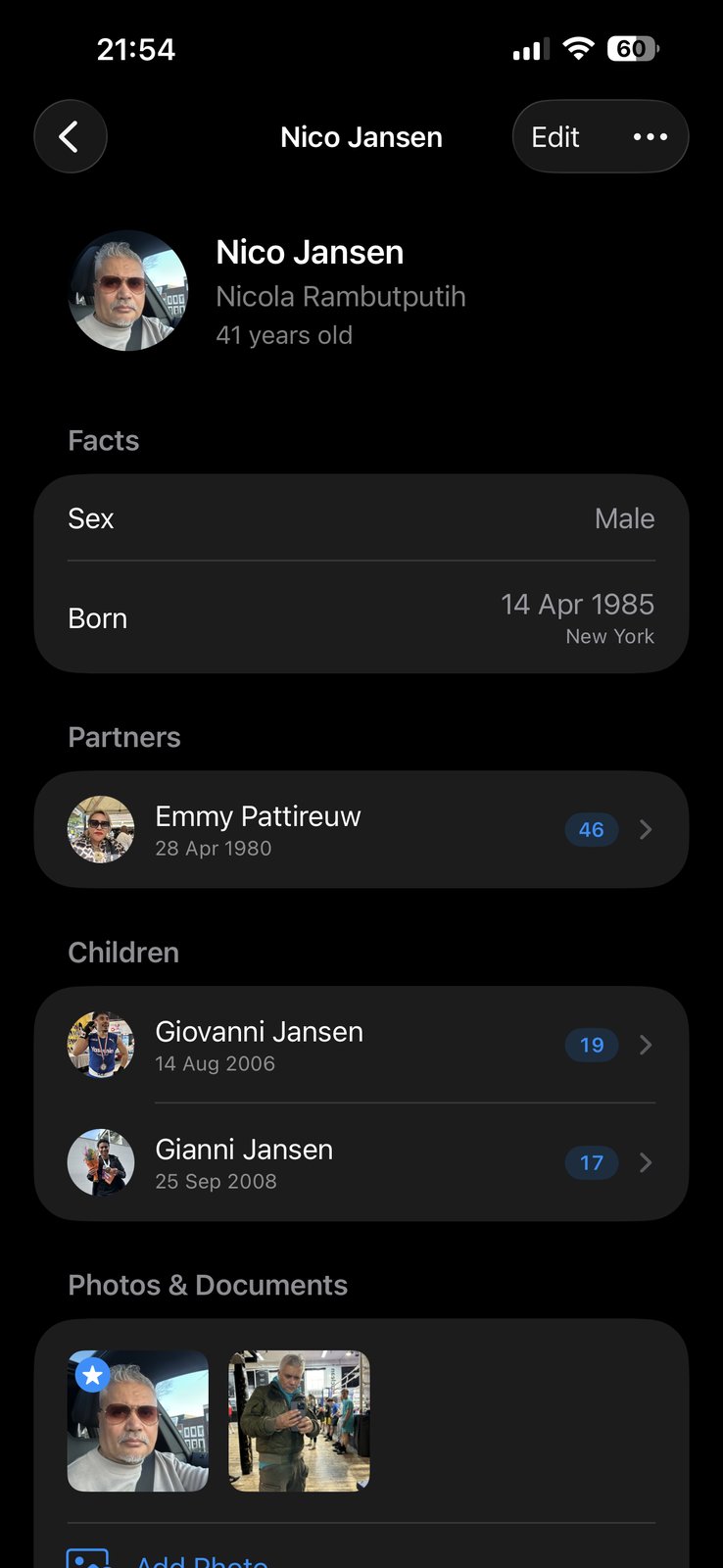
- Copy Summary. Open a person, tap the ••• menu and choose Copy Summary. A plain-text family record for that person is on your clipboard, ready to paste.
- The whole picture in one record. Full name, birth and death with dates and places, then parents, partners with marriage date and place, children and siblings, each with their own dates, plus your notes. Only the fields you filled in are included.
- No AI inside. Gramps2 does not connect to any AI service. Nothing leaves your device until you paste it somewhere yourself.
- A home for what you confirm. Add the new dates and places, attach the photo or PDF of the record to the person, and copy the summary again for the next question.
- Private by design. Your tree lives on your devices and in your own iCloud, shared only with the family members you invite.
- Never locked in. Import a GEDCOM file from another program and export yours the same way.
When the assistant has told you which kind of record to look for, you need the archive that holds it. We keep a list of the ones we return to most, country by country:
Genealogy links for 25+ countries →
Frequently asked questions
Can ChatGPT find my ancestors?
Not on its own. An AI assistant such as ChatGPT, Claude or Gemini does not have the civil registers, church books and census pages of the world inside it, and most of those records sit in archive databases that it cannot search. What it can do is tell you where a record is likely to be, how to search for it, and how to read it once you have found it. The finding and the checking are still yours.
Is AI accurate for genealogy?
It is reliable for general knowledge, such as how civil registration worked in a country, what an old occupation was, or how a surname was spelled. It is unreliable for facts about a specific ordinary person. An assistant can give a birth date, a parent or a source reference that sounds right and is invented. Use it for leads and explanations, and confirm every fact about your own family in an original record.
Which AI is best for genealogy research?
Any of the large general assistants works: ChatGPT, Claude, Gemini or Copilot. They differ less than the way you use them. What matters is that you give the assistant a complete family record, ask one specific question at a time, and turn on web search when you ask about archives and websites. For reading handwritten records, specialised tools such as Transkribus and the full-text search of FamilySearch are built for the job.
Can AI read old handwriting?
Often, yes. Current assistants can read a photo of a handwritten record, and tools such as Transkribus are trained on historical scripts. The text between the names usually comes out well. Names, dates and places are where the mistakes are, and those are exactly the words you need. Ask for a line-by-line transcription with every uncertain word marked, and compare it with the image yourself.
Can AI translate old records in Latin, German or Dutch?
Yes, and this is one of the things it does best. Paste the transcription or give it the image and ask for a translation plus an explanation of the abbreviations and set phrases. Church records and civil certificates follow a fixed formula, so the assistant recognises the structure even when a few words are unclear. Check the names and dates against the original yourself.
Is it safe to put family data in an AI assistant?
What you paste is sent to the company behind the assistant and stored according to its terms. For ancestors who died long ago that is rarely a problem. For living relatives it is: their names, birth dates and addresses are theirs to share, not yours. Leave living people out of what you paste, or reduce them to a first name, and check in the settings of the assistant whether your conversations are used to train its models.
Can AI build my family tree for me?
No. An assistant can suggest where to look, sort your notes, find gaps and contradictions, and write up what you have found. It cannot look up your great-grandparents in an archive and prove they are yours. A tree that an assistant fills in by itself is a tree of plausible guesses.
Which family tree app works with AI assistants on iPhone, iPad and Mac?
Gramps2 is a family tree builder for iPhone, iPad and Mac with a Copy Summary option. It puts a plain-text family record for one person on your clipboard: name, dates and places, parents, partners, children, siblings and your notes. You paste that into the assistant you choose. Gramps2 has no AI built in and does not send your family data to any AI service.