Genealogy · Privacy
How to Keep Your Family Tree Private: No Website Account, Synced on Every Device
Your family tree holds the names, birth dates and stories of people you love, many of them alive. Here is where that data really ends up, what a genealogy website account means for it, and how to keep one private tree on your iPhone, iPad and Mac without signing up anywhere.
By Nico Jansen, maker of Gramps2··17 min read
🇳🇱 Lees dit artikel in het Nederlands →🇩🇪 Diesen Artikel auf Deutsch lesen →🇫🇷 Lire cet article en français →🇪🇸 Leer este artículo en español →🇮🇹 Leggi questo articolo in italiano →🇵🇹 Ler este artigo em português (Portugal) →🇧🇷 Ler este artigo em português (Brasil) →
The short answer
To keep your family tree private, store it on your own devices and in your own cloud storage instead of on a genealogy website, and share it only by personal invitation. An app that syncs through iCloud does exactly that: the tree is on your iPhone, iPad and Mac, there is no extra account to create, and only the relatives you invite can open it.
The six steps:
A family tree looks harmless. Some names, some dates, lines between them. But look at what is really in a tree that has been worked on for a while: the full names of your children, their birth dates and birthplaces, your mother’s maiden name, the adoption nobody talks about, the photos from the box in the attic. It is the most personal file you will ever make, about people who never agreed to be in a database.
When I started building our own tree, of Moluccan and Indische families from the former Dutch East Indies, I noticed how quickly every genealogy service asks you to sign up first. An email address, a password, a profile, often a trial. And from that moment the tree lives on someone else’s server, under someone else’s terms.
That is not always wrong. The big platforms have records and DNA matches that you will not find anywhere else. But it is worth knowing what you trade, and that there is another way: a tree that stays on your own devices, syncs through the iCloud account you already have, and is shared only with the relatives you pick. This guide covers both.
Why does a family tree need to be private?
A family tree needs privacy because it lists living people with exactly the details that identify them: full name, date and place of birth, parents and a mother’s maiden name. Your great-great-grandmother cannot be harmed by her birth date. Your nephew can.
Three risks are worth knowing:
- Identity fraud. A date of birth, a birthplace and a mother’s maiden name are still the answers to security questions at banks, insurers and helpdesks. A tree that lists them for living people hands them out.
- Family secrets. An unknown father, an earlier marriage, a child given up for adoption. A tree can tell someone something that nobody has told them yet, and on a website it can tell a stranger first.
- Data that outlives its purpose. What you upload for a hobby stays in a database that can be copied, breached, sold or merged with other data, long after you have stopped logging in.
The law draws roughly the same line. In the EU and the UK, data protection law covers living people and not the dead, and it leaves a tree you keep for your own family alone, while publishing living people to the whole internet is another matter. I am a developer and not a lawyer, so take that as orientation. The practical rule is simpler: the dead can be public, the living belong to the family.
Where is your family tree actually stored?
A family tree is stored in one of four places: on a genealogy website’s servers, in a file on one computer, in an app’s own cloud behind an account, or on your devices and in your own iCloud. Where it is stored decides who can reach it, and what you need to do to keep it.
| Where the tree lives | Account needed | Who holds the data | Sync between devices |
|---|---|---|---|
| Genealogy website (Ancestry, MyHeritage, FamilySearch, Geneanet) | Yes, with the website | The company, under its terms | Yes, through the website or its app |
| Desktop program (Family Tree Maker, RootsMagic, Gramps, MacFamilyTree) | Usually not for the tree itself | You, in a file on your computer | Only if you copy the file or use a sync option the program offers |
| App with its own cloud | Yes, with the app maker | The app maker, on its servers | Yes, after you sign in |
| App that syncs through your own iCloud | No, only the Apple Account you already use | You, on your devices and in your iCloud | Yes, automatically on iPhone, iPad and Mac |
The desktop file is the most private and the least convenient. It sits on one computer, and the moment you want it on your phone or your laptop you start copying files, and soon you have three versions of grandma. The website is the most convenient and puts the data furthest from you. The iCloud model sits in between: it syncs like a website, but the data stays in the iCloud storage you already have and control, and nobody else has to create anything to get started.
What happens to a tree you keep on a genealogy website?
A tree on a genealogy website lives on the company’s servers, under terms of service that the company can change, and it goes wherever the company goes. That is not a reason to avoid these sites. It is a reason to know what you are signing.
Four things happen in practice:
- You grant a licence. You keep the rights to what you wrote and uploaded, but the terms give the site permission to store, copy and use it in the ways they describe. Read what that covers for photos and for trees marked public.
- Defaults decide a lot. On several sites a new tree is visible to other members unless you change the setting. Living people are usually hidden from the public, but deceased relatives and photos may not be.
- Accounts get breached. In June 2018 MyHeritage disclosed that the email addresses and hashed passwords of more than 92 million accounts had leaked. The company said trees and DNA data were stored on separate systems and were not affected, which is good, but it shows that an account is something that can leak.
- Companies change hands. Ancestry was bought by the investment firm Blackstone in 2020, for 4.7 billion dollars. 23andMe, the DNA company, went bankrupt in 2025 and was sold, with the data of its customers as part of the business. Your tree goes with the company, under the terms of whoever owns it next.
None of this means the big platforms handle data carelessly. Most invest heavily in security, and their privacy settings are better than they were ten years ago. It means that a tree on a website is as private as the company’s next decision, and that you can only take it back by exporting it.
Is a family tree the same as DNA data?
No. A family tree is information you enter yourself; DNA data is a test result about your body, and it says something about every blood relative you have, including the ones who never took a test. The two are often in the same account, which makes the account worth more and the decision to delete it harder.
DNA databases have been used in ways their users did not expect. In 2018 investigators in California identified the Golden State Killer by uploading crime-scene DNA to GEDmatch, a public genealogy database, and building family trees from the matches. In 2023 a breach at 23andMe exposed ancestry details of close to seven million customers, most of them through the DNA Relatives feature that links people to their matches.
If you want to keep your tree private, you do not have to give up DNA testing. Keep the two apart: take the test with a company whose terms you accept, use the matches to find relatives, and keep your own tree, with your notes and photos, in a place that is yours.
How does a family tree sync through iCloud?
An app that syncs through iCloud keeps your tree in your own iCloud account and copies every change to all your devices that are signed in with the same Apple Account. You add a name on your iPhone on the couch, and it is on your Mac when you sit down at your desk.
What that means in practice:
- No new account. Your iPhone, iPad and Mac are already signed in to iCloud. The app uses that. There is no username, no password and no confirmation email, and nothing for a relative to sign up for either.
- The data stays with you. The tree is on your devices and in your iCloud storage. If the app maker has no servers of its own, as with the app I make, it simply has no copy of your family to lose, sell or hand over.
- Apple’s security applies. iCloud encrypts data in transit and when it is stored. With standard data protection Apple holds the keys for most categories of data. With Advanced Data Protection switched on, only your trusted devices hold them for most categories. Two-factor authentication on your Apple Account protects it all.
- A new device just works. Sign in on a new iPhone or Mac, open the app, and the tree comes down from iCloud. Nothing to export or restore.
- Photos use your storage. The scanned photos and documents you attach count toward your iCloud storage. A tree with a few hundred photos fits easily, but check how much room you have if you plan to scan whole albums.
One condition: it only works within the Apple world. There is no Windows or Android version of an iCloud-synced app, and relatives on those devices cannot open the tree. They get a PDF chart, which most of them prefer anyway.
How to keep your family tree private in 6 steps
Keeping a family tree private comes down to six things: one master copy in a place you control, your existing data moved over, the old door closed, sync on every device, sharing by invitation, and a backup.
1. Choose where the master copy of your tree lives
Decide which tree is the real one. Many people have a tree on a website, an old file on a laptop and some notes in a phone, and none of them is complete. Pick the place from the table above that fits how you work. If you use more than one Apple device, an app that syncs through iCloud gives you the tree everywhere without putting it on a website.
2. Bring your existing tree over as a GEDCOM file
GEDCOM (.ged) is the standard exchange format for family trees. Almost every website and program exports it, so you do not have to type anything again. The file carries people, dates, places and relationships, but not photos, so download those separately. For what survives the transfer, see what is a GEDCOM file.
3. Close the door you came from
After the import, check a few branches in the new place: are all the children there, are the dates right? Then decide what happens to the old copy. You can set the online tree to private, or delete it. Deleting a tree, deleting your account and deleting DNA results are often three separate actions, so look at each one.
4. Turn on sync on every device you use
Sign in with the same Apple Account on your iPhone, iPad and Mac, and check in your iCloud settings that iCloud is on for the app. Then test it: add a note to someone on your phone and look for it on your Mac a moment later. If it shows up, you are done with copying files for good.
5. Invite only the relatives who help build the tree
Private does not mean alone. Invite the two or three relatives who really add names, dates and photos, by personal invitation, so only they can open the tree. Send everyone else a chart as a PDF. Our guide on how to share a family tree compares the ways in detail.
6. Keep a backup that does not depend on any service
Sync is not a backup: delete a branch by mistake and the deletion syncs too. Export a GEDCOM file every few months, or after a big research session, and keep it next to your scanned photos on a second drive or in a folder you back up. That file opens in any genealogy program, now and in twenty years.
How do you take your tree off a genealogy website?
To take your tree off a genealogy website, export it as a GEDCOM file, download your photos, import both into the new place, and only then make the online tree private or delete it. The order matters: delete first and the tree is gone.
| Website | Where to export | Good to know |
|---|---|---|
| Ancestry | Open the tree’s settings and choose Export tree | You download a .ged file. Photos and attached records are not in it. |
| MyHeritage | On the website (not the app): Family tree → Manage trees → Export to GEDCOM | MyHeritage emails you a download link when the file is ready. |
| FamilySearch | Not as a whole tree: it is one shared tree for everyone | Keep your own tree elsewhere and use FamilySearch for its records. |
| Geneanet | In the tree’s management menu, choose to export the tree as GEDCOM | Check whether your tree is published to other members before you leave. |
Menus on these sites change from time to time, so look at the site’s own help page if a button has moved. Before you delete anything, open the GEDCOM file in the new app and compare the number of people with what the website showed.
Can a private tree still be shared with family?
Yes. A private tree is a tree where you decide who is on the list, and sharing it by personal invitation keeps it that way. Nobody outside the list can find it, not other members of a website and not search engines.
With an app that shares through iCloud, you create an invitation and send it to a relative. They open it, and the tree appears in their app. They do not create an account on a website, they do not choose a password, and they do not get marketing email. What they need is the app on an Apple device and an iCloud account, which almost every iPhone owner already has.
Everyone who can open a tree can also pass on what they see, so agree on one rule with the people you invite: what is in the tree stays in the family, and nobody uploads it elsewhere without asking.
What do you give up without a website?
Without a genealogy website you give up record hints, being found by distant cousins and access from any browser; you keep control over who sees your family. Whether that trade is worth it depends on what you want from the tree.
| You give up | How to get it anyway |
|---|---|
| Automatic hints that match your tree to records | Search the archives yourself: FamilySearch, national archives and local record sites are open to everyone. |
| Distant cousins finding your tree | Take a DNA test, or keep a small public tree of deceased ancestors only, with no living people, as a signpost. |
| Opening the tree from any computer | Use your own iPhone, iPad or Mac; send a PDF chart to relatives on other devices. |
| One big family tree built with strangers | Contribute deceased ancestors to a shared tree like FamilySearch or WikiTree, and keep your own working tree private. |
Many researchers end up with both: a private master tree with everything, including the living and the notes, and the websites as places to search and to meet relatives. The point is that the master copy is yours.
Private and on every device with Gramps2
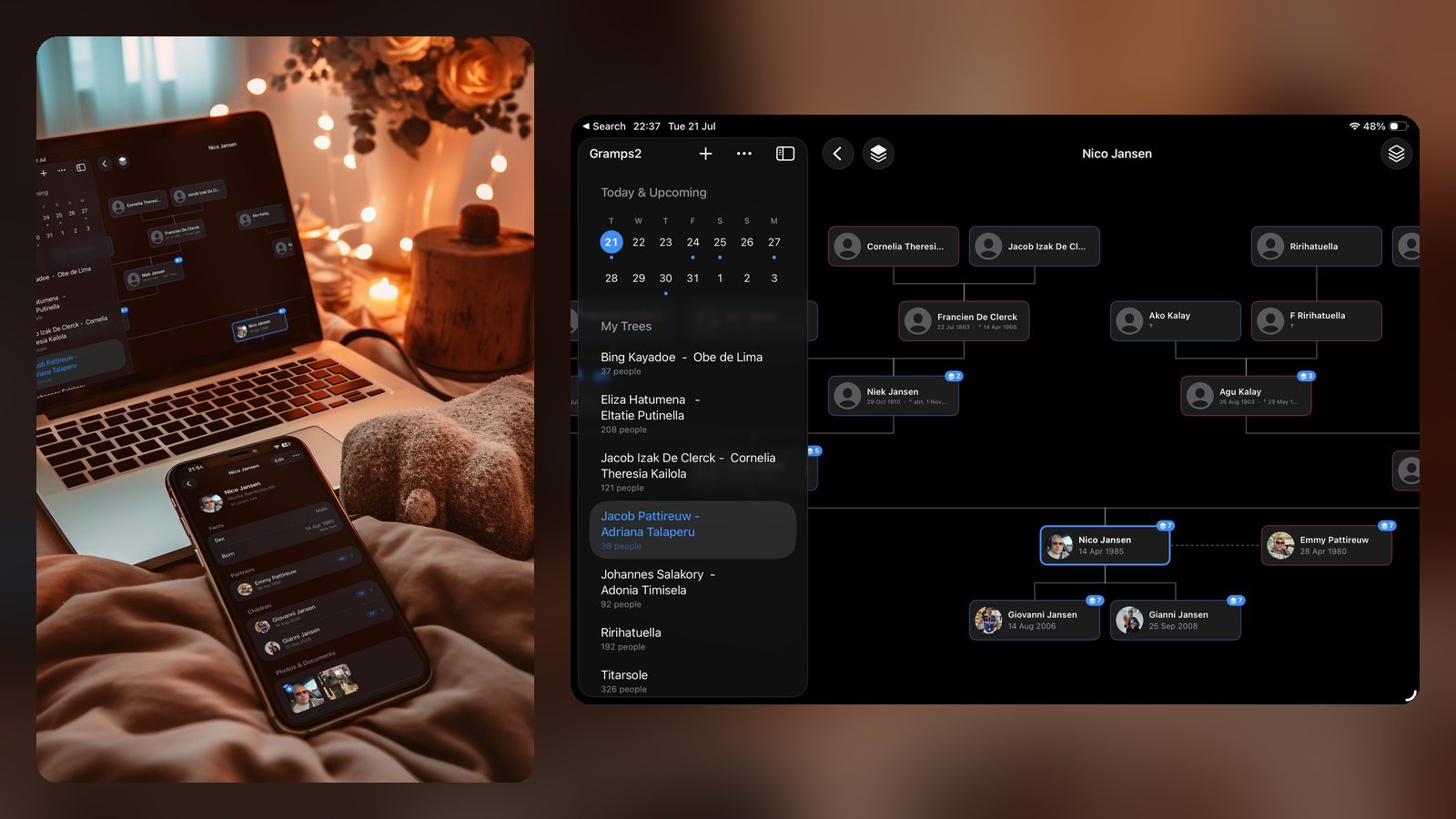
I built Gramps2 for our own family, and privacy was the starting point, not an afterthought. It is a family tree builder for iPhone, iPad and Mac:
- No account to create. There is nothing to sign up for. Your family data lives on your device and syncs through your own iCloud account. No niApps servers, no website.
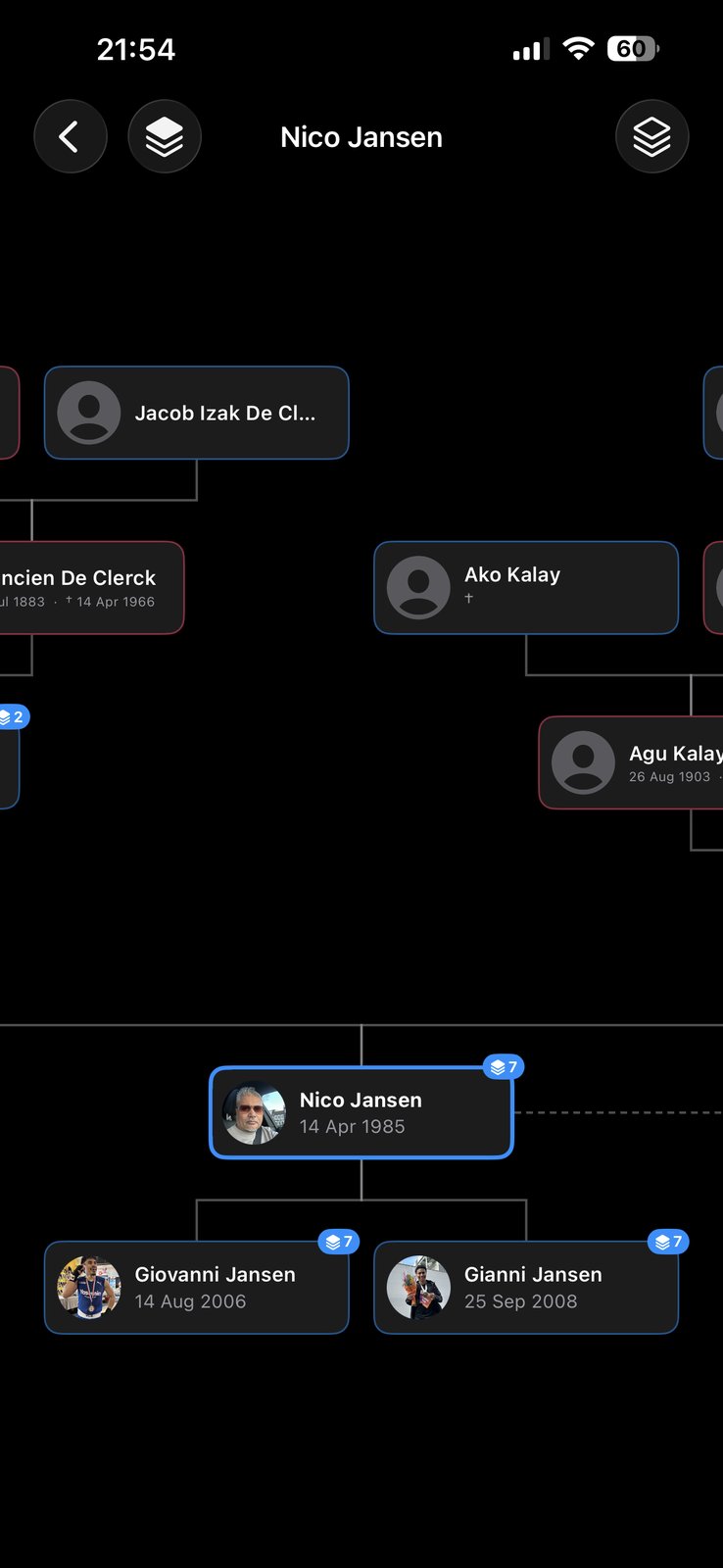
- On all your Apple devices. Your trees sync automatically between your iPhone, iPad and Mac. Gramps2 runs as a native Mac app, so you can add a name on the couch and find it waiting on your Mac when you sit down to dig deeper. On a new device, open the app and your family is there.
- Shared only with people you choose. Share a tree through iCloud with the family members you invite, and nobody else. Everyone you invite sees the same tree and can edit it, and changes sync live between all participants, on the Mac too. They need the app and an iCloud account, nothing more.
- We can’t see your family data. We store nothing about your family on our own servers. The app collects only anonymous usage statistics, never names, dates or photos. And Gramps2 has no AI built in and never sends your family data to one.
- Never locked in. Import a GEDCOM file from Ancestry, MyHeritage or a desktop program, and export any tree as GEDCOM whenever you want: as a backup, or to take it elsewhere.
- A chart for everyone else. Export the tree chart as an image or PDF for the relatives who only want to look, ready to print or send.
Gramps2 speaks English, Dutch, German, French, Spanish, Italian and Brazilian Portuguese, and runs on iPhone and iPad with iOS 18 or later and on the Mac with macOS 15 or later.
Frequently asked questions
Can I make a family tree without creating an account?
Yes. Desktop genealogy programs and some apps keep the tree on your own devices, so there is no website account to create. An app that syncs through iCloud uses the Apple Account you already have on your iPhone, iPad or Mac. Genealogy websites such as Ancestry, MyHeritage and FamilySearch always need an account, because the tree is stored on their servers.
Is my family tree private on Ancestry or MyHeritage?
It can be, if you set it that way. Both sites let you make a tree private and hide living people from other members. The tree is still stored on the company’s servers under its terms of service, so private there means hidden from other members, not out of the company’s hands. Check the privacy settings of each tree, because they can differ per tree.
Who owns the family tree I put on a genealogy website?
You keep the rights to what you wrote and uploaded, but you give the website a licence to store and use it as its terms describe. Read the terms for what the site may do with trees and photos, what happens when you delete them, and whether the licence ends then. Companies also change owners: Ancestry, for example, was bought by Blackstone in 2020, and the terms came along with the data.
Is iCloud safe for family tree data?
iCloud encrypts your data in transit and when it is stored. With standard data protection Apple holds the keys for most categories of data; with Advanced Data Protection switched on, only your trusted devices hold the keys for most categories. Use two-factor authentication on your Apple Account and a passcode on your devices, because those protect everything in iCloud, a family tree included.
How do I keep my family tree in sync between my iPhone, iPad and Mac?
Use an app that syncs through iCloud, sign in with the same Apple Account on every device, and make sure iCloud is on for that app. Changes then appear on your other devices without exporting or copying files. A program that keeps the tree in a single file on one computer needs you to copy that file around, which is how versions drift apart.
Can I share a private family tree with relatives?
Yes. Private means you decide who sees the tree, not that nobody does. Share it by personal invitation with the relatives who help, so only they can open it, and send a PDF chart to everyone else. A tree shared by invitation is not published, and search engines cannot find it.
What happens to my tree if I delete my genealogy website account?
Normally the trees, photos and messages in that account are deleted with it, after a period the site describes in its terms. Export your trees as GEDCOM files and download your photos first. On sites that also hold DNA results, check separately what happens to those, because a DNA test can be tied to the account in its own way.
Which family tree app syncs through iCloud on iPhone, iPad and Mac without an account?
Gramps2 is a family tree builder for iPhone, iPad and Mac. Your trees live on your devices and sync through your own iCloud account, with no niApps servers, no website and no account to create. You can share a tree with the family members you invite through iCloud, and import and export GEDCOM files so your data is never locked in.