Events · Lost tickets
Lost Your E-Ticket? How to Find Your Concert Tickets Again (and What to Do at the Door)
The concert is tonight and the ticket is not where you thought it was. Here is where lost e-tickets almost always turn up, how to get one sent again, and what to say at the box office if it does not.
By Nico Jansen, maker of TixVault··16 min read
🇳🇱 Lees dit artikel in het Nederlands →🇩🇪 Diesen Artikel auf Deutsch lesen →🇫🇷 Lire cet article en français →🇪🇸 Leer este artículo en español →🇮🇹 Leggi questo articolo in italiano →🇵🇹 Ler este artigo em português (Portugal) →🇧🇷 Ler este artigo em português (Brasil) →
The short answer
A lost e-ticket is almost never really gone: the ticket is a record in the seller’s system, and the email was only one copy of it. Search your inbox for the ticketing platform rather than the band, check the phone itself, then sign in to the seller’s account or ask the organizer to send the ticket again, with your order details, well before the doors open.
The six steps:
On 16 May 2026 I went to see the American guitarist Neil Zaza, with Sapien opening, at Astrant, the music venue in Ede in the Netherlands. I had bought the ticket nine days earlier on the venue’s website. It arrived the way most tickets do now: an email with a link, and behind the link a page with the ticket, a PDF to download and a button to add it to Apple Wallet.
Six months later, writing this guide, I went looking for that ticket. Not in an app, not in Files: in the old email. I clicked the link, and the whole order was still there. Event, date, doors at 19:30, start at 20:00, the QR code, the PDF, the Wallet button, even a calendar file. The page did not ask for a password. And the data behind it knew one more thing: that my ticket had been scanned at the door that evening.
That says a lot about lost tickets. The ticket lives at the seller, and the email is a key to it. Lose the email and the ticket is still there; you only need another way in. This guide walks through those ways, in the order that finds the ticket fastest.

Where is a lost e-ticket most likely to be?
A lost e-ticket is usually in one of three places: in your email under a sender you did not expect, somewhere on the phone as a download or screenshot, or in your account at the ticket seller. It is rarely truly lost. It is filed under a name you are not searching for.
| Where to look | Why the ticket ends up there | How to search |
|---|---|---|
| Inbox, under the ticket platform | The venue sells through a platform, and the email comes from that platform’s name | Search for the platform, “order”, “tickets” or the order number |
| Spam, promotions, archive | Automated emails with links and attachments are often filtered | Open each folder and repeat the search there |
| Another email address | An old, work or Hide My Email address was used at checkout | Search every inbox you have, or check your Apple ID’s Hide My Email list |
| Apple Wallet | You tapped “Add to Apple Wallet” and forgot | Open Wallet and scroll down, including expired passes |
| Files and Downloads | The PDF was saved the day it arrived | Search Files for the event, the venue or “ticket” |
| Photos | You took a screenshot of the ticket | Search Photos for the event name: the iPhone reads text in screenshots |
| The seller’s account or app | Orders are stored there whether or not the email arrived | Sign in and open your orders or tickets |
| Someone else’s phone | A friend or partner bought the tickets for the group | Ask before you search any further |
How to find a lost e-ticket in 6 steps
To find a lost e-ticket, search your email for the ticket platform, check the other folders and addresses, look on the phone, reopen your account at the seller, ask the organizer to send it again, and save it properly once you have it. Most people find it in the first two steps.
1. Search your email for the ticket platform, not the band
This is the mistake I see most. You search for the band, and the email does not mention the band in its subject line or sender. Venues and festivals sell through ticketing platforms, and the confirmation comes from that platform, sometimes with the venue’s name in front of it, sometimes not. My Astrant ticket came through Stager, a platform many Dutch and Belgian venues use. Ticketmaster, Eventim, See Tickets, Eventbrite and Dice are other names to try.
- Search for the platform’s name, and for the words “order”, “tickets” and “confirmation”.
- Look at your bank or card statement for the day you paid. The line often names the platform, and sometimes the order number, which you can then search for.
- Search the venue’s name and the town, in case the venue sent the email itself.
- Narrow down by date: the email arrived within minutes of the payment.
2. Check spam, other folders and other addresses
Ticket emails are automated, full of links and often carry an attachment, which is exactly what spam filters look for. Open spam or junk, the promotions tab if your email has one, the archive and deleted items, and search again in each.
Then think about which address you used. An old address you rarely check, a work address, or the address of the person who paid. If you checked out with Sign in with Apple and chose Hide My Email, the shop got a random address that forwards to your real one, so the email is in the inbox that address forwards to. You can see these addresses in Settings, under your name, in iCloud.
3. Look on the phone itself
You may have saved the ticket the day it arrived and forgotten. Open Wallet and scroll to the bottom. Open Files, look in Downloads and search for the venue or the word “ticket”. Then search Photos for the name of the event: Photos recognises text inside images, so a screenshot of a ticket turns up even if you never gave it a name.
4. Reopen the order page or your account
If you have an account at the seller, sign in on the website or in the app and look under your orders or tickets. The order is stored there whether or not the email ever arrived, and you can usually download the PDF or add the ticket to Wallet again. With more than one account, perhaps under different addresses, check each one.
Many platforms also have a form for exactly this situation. Stager, for example, has a “Lost your tickets?” page: you enter your email address and it sends you every ticket for an upcoming event that you bought with that address. Look on the platform’s help pages for “lost tickets” or “resend tickets”.
5. Ask the organizer to send it again
When all of that fails, write to the venue or organizer. The ticket platform runs the software, but it is usually the organizer who can look up your order and change it. Give them everything they need to find you in one message: see the list in the next section. Do this days before the event, not on the evening itself, when the box office has a queue and the inbox is unattended.
6. Save it on your phone the moment you have it
When the ticket is back, do not leave it in the email a second time. Download the PDF or add it to Wallet straight away, put it in one fixed place on the phone, and open it once in airplane mode to check it works without a connection.
Why is the link in your email the ticket itself?
The link in a ticket email often opens your order without a password, because the long code in the address works as the key: whoever has the link has the ticket. That is convenient when you lose the email and still have the link, and a risk when the email ends up with someone else.
The link to my Astrant ticket ends in a string of thirty random characters. That string is all the page needs. No login, no code by text message. Six months later it still opened the order, with the QR code, the PDF and the Wallet button. That is why the link is not in this article, and why I blurred the numbers in the picture above, even though the ticket was used long ago.
What follows from that:
- Forwarding the email forwards the ticket. Send a friend only their own ticket, as a file, not the whole confirmation.
- A photo of your ticket online is a copy of your ticket. Before the event, cover the barcode or do not post it at all.
- Keep the link if you keep nothing else. If you delete old emails, save the order page link somewhere you can find it. It may be the quickest way back to the ticket.
How do you get a ticket sent again?
To get a ticket sent again, use the seller’s account or lost-ticket form first, and contact the organizer with your order details when that does not work. What you need to give them is the same everywhere.
| Where you bought | First try | If that fails |
|---|---|---|
| A large ticket platform | Sign in and open your orders or tickets | The platform’s customer service, with your order number |
| A venue or club website | The link in the confirmation, or the platform’s lost-ticket form | The venue itself, by email or at the box office |
| A festival | Your festival account or app | The festival’s ticket service, before the gates open |
| A friend who bought for the group | Ask them for your ticket as a file | They contact the seller, because the order is in their name |
| A resale platform | Your account on the resale platform | The resale platform, not the original seller |
Put this in your message, so the organizer can find the order the first time:
- The event, the date and the venue.
- Your full name and the email address you used to buy, or think you used.
- The date you bought the ticket, and the order number if you found it.
- The number of tickets and the ticket type, for example presale or standing.
- The line from your bank or card statement, with the amount and the date.
- The address where you want the ticket sent, if it is a different one.
On some platforms the ticket seller cannot change an email address or the name on a ticket itself; only the organizer of the event can. Stager says this in its own help pages. If the platform sends you to the organizer, that is not being passed around: it is how the systems are set up.
Is a resent ticket valid, and what happens to the old one?
A resent e-ticket is usually the same ticket with the same barcode, so the old copy and the new copy are equally valid, and whichever is scanned first gets in. Sending a ticket again does not, by itself, cancel anything.
A scanner at the door does not look at the paper or the screen. It reads the code and asks the ticket system: is this code valid, and has it been used? The data behind my own ticket shows that logic plainly. Next to the ticket type there are two simple yes-or-no fields: scanned, and blocked. On 16 May the first one went to yes. Had I shown the same code again later that evening, the scanner would have said it was already used.
The blocked field is the one that matters if your ticket might be in the wrong hands, for example if a phone was stolen or an email went to the wrong person. Ticket systems can be set up so that an organizer blocks the old barcode and issues a new one. Whether your organizer can and will do that depends on the system and their rules, so ask. Do it before the event: once someone else has walked in with your code, it is too late.
What can you do at the door without your ticket?
Without your ticket, go to the box office or the cashier rather than the entrance, with ID and proof that you bought it, and ask whether they can look up your order. Many venues can, especially smaller ones where the box office uses the same system as the online shop. It is not guaranteed: some sellers do not reissue tickets at the door.
- Arrive early. Before the doors open the box office has time. Ten minutes before the start it has a queue.
- Bring proof. ID, the email address you used, the order number if you have it, and the payment in your banking app.
- Ask the right person. The person scanning at the entrance can only scan. The box office, the cashier or the venue manager can look things up.
- Phone ahead. If the venue has a phone number, call in the afternoon. They may be able to put your name on a list.
- Don’t buy a replacement outside. A ticket from a stranger at the door may be a copy that has already been scanned.
What if the ticket was in an app?
A ticket that lives inside a ticketing app is stored in your account, not on the phone, so you get it back by signing in to that account again. This applies to tickets with a barcode that refreshes in the app, such as Ticketmaster’s SafeTix, AXS and many official club apps.
- New phone, or the app deleted? Install the app and sign in with the same account. Reset the password if you need to.
- Not under your orders? Check whether you have more than one account, perhaps with another email address. Ticketmaster’s own help pages give this advice too.
- A friend transferred it to you? If you lost the transfer email before accepting it, ask them to cancel the transfer and send it again.
A screenshot does not help with these tickets: the code in the picture has expired by the time you reach the scanner. Load the app at home, with a good connection, and check you are signed in.
How do you make sure it never happens again?
To stop losing tickets, deal with each ticket on the day it arrives: save it on the phone, in one fixed place, and give the people you go with their own copy. It takes two minutes then, and saves the search later.
- One home for every ticket. Wallet when the seller gives you a pass, otherwise one folder in Files or one ticket app. Not the inbox.
- Name it by date. A file called “2026-05-16 Neil Zaza Astrant” is easy to find. “tickets(3).pdf” is not.
- Put it in the calendar. Many confirmations include a calendar file. Add it, so the date reminds you that a ticket exists.
- Test in airplane mode. If the ticket opens without a connection, it will open at the venue.
- Share by file. Send each person their own ticket, so nobody depends on your phone or your inbox.
- Keep the email until after the event. And keep the order link if you can: it is your way back.
For more on keeping tickets on the phone, see how to add a PDF ticket to Apple Wallet, and for groups, how to share tickets with friends and family.
From lost to found with TixVault
I built TixVault because my tickets were scattered in exactly the places this guide sends you to search: Mail, Files and Photos. It is a ticket wallet for iPhone and iPad, and it is the fixed home from the last step:
- Import from where the ticket is. Pick the PDF from Files, a screenshot from Photos, or paste it from the clipboard. TixVault finds the barcode and reads the event, date, venue, section, row, seat and entrance on the device.
- One list, next event on top. Every upcoming event in a single list, soonest first, with the ticket itself as thumbnail.
- The original, always. Every ticket keeps its PDF or screenshot, so you can show it exactly as it was sent, share it as a file or print it.
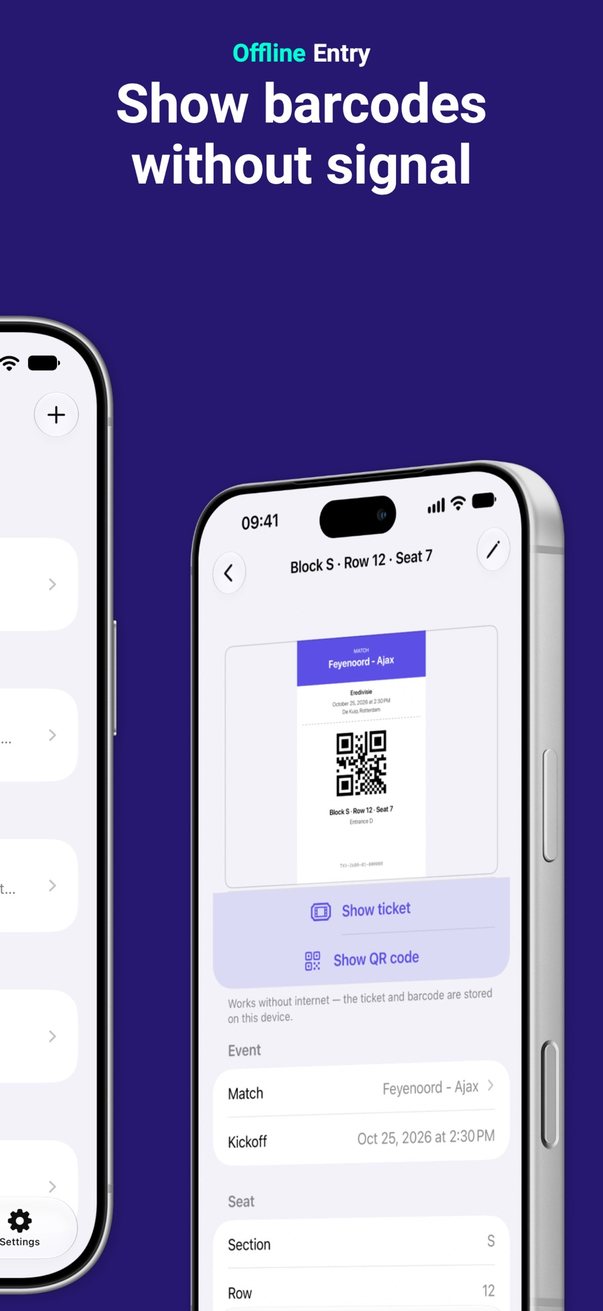
- The barcode without internet. Tap Show barcode and the screen goes to full brightness and shows nothing but the code, in airplane mode too.
- In your calendar. One tap creates the calendar event with the venue and every seat in the notes, an alarm beforehand and a reminder to leave in time.
- A vault for the household. Share a vault through iCloud and the ticket your partner bought is on your phone too, offline.
- And afterwards, the night. Three hours after the start the event moves to History, where you add a few lines and the photos, so a ticket like my Neil Zaza one is kept with the evening it belonged to.
Where it does not fit: TixVault cannot recover a ticket you never had as a file. It is for PDF and print-at-home tickets; barcodes that refresh inside an official ticketing app cannot be stored, by TixVault or any other app. It runs on iPhone and iPad only.
Frequently asked questions
I lost the email with my tickets. Can I still get in?
Usually, yes. An e-ticket is a record in the seller’s system, and the email is only one copy of it. Sign in to the seller’s account, use its lost-ticket form if it has one, or ask the organizer to send the ticket again with your order details. Do it before the day of the event.
Where do I find my tickets if I can’t find the email?
Search your inbox for the ticketing platform’s name and the word “order”, and check spam, promotions and archive. Then look on the phone: Wallet, the Files app and Downloads, and Photos for a screenshot. If that fails, sign in to the seller’s website or app, where the order is usually listed under your tickets.
Can the box office let me in without my e-ticket?
Sometimes. Many venues can look up an order by name or email address and scan or print the ticket at the box office, but it depends on the venue and the ticket seller, and some will not reissue a ticket at the door. Go early and bring ID, the email address you used, the order number and proof of payment.
Is my old ticket still valid after it has been sent again?
With a fixed barcode, a resent ticket is usually the same code, so both copies are the same ticket and the first one scanned gets in. If you think someone else has your ticket, ask the organizer whether they can block the old barcode and issue a new one.
Can someone else use my lost ticket?
If they have the barcode, yes: a scanner checks the code, and a code is accepted once. Whoever has the PDF, a screenshot or the link from the confirmation email can show the ticket. Don’t post a photo of your ticket online, and tell the organizer if a ticket or email may be in the wrong hands.
I bought the ticket with an email address I no longer use. What now?
Contact the organizer or the ticket seller with your name, the event, the purchase date and the payment details, and ask them to send the ticket to your current address. Most platforms cannot change the address themselves without the organizer.
My ticket is in the Ticketmaster or club app and it is gone. What do I do?
Sign in to the app with the account that bought or accepted the ticket; it is stored in that account, not on the phone. Check every account you might have used. If a friend transferred it and the email is lost, ask them to cancel the transfer and send it again.
Which app keeps my tickets in one place on iPhone?
TixVault is a ticket wallet for iPhone and iPad. It imports a ticket as a PDF from Files, a screenshot from Photos or from the clipboard, keeps every ticket in one list with the next event on top and shows the barcode full screen without internet. Every ticket keeps its original file, it syncs through your own iCloud and a vault can be shared with your household. It is for PDF and print-at-home tickets; barcodes that refresh inside an official ticketing app cannot be stored.