Genealogy · Software compared
Best Genealogy Software: Family Tree Programs Compared
Websites, desktop programs and apps all call themselves family tree software, and they do very different jobs. Here is what each kind is good at, how the well-known names compare, and how to pick the one that fits the way you work.
By Nico Jansen, maker of Gramps2··19 min read
🇳🇱 Lees dit artikel in het Nederlands →🇩🇪 Diesen Artikel auf Deutsch lesen →🇫🇷 Lire cet article en français →🇪🇸 Leer este artículo en español →🇮🇹 Leggi questo articolo in italiano →🇵🇹 Ler este artigo em português (Portugal) →🇧🇷 Ler este artigo em português (Brasil) →
The short answer
The best genealogy software is the one that keeps your family tree where you want it: on a website that finds records for you, in a program on your own computer, or in an app on the devices you carry. No program is best at all three, which is why many family historians use two. Whatever you pick, make sure it can export a GEDCOM file, so you can leave again.
- ·To find records and relatives: Ancestry, MyHeritage, FamilySearch
- ·For serious research on Windows: RootsMagic, Family Tree Maker, Legacy Family Tree, Family Historian
- ·For serious research on a Mac: MacFamilyTree, Reunion
- ·Open source, on Windows, Mac and Linux: Gramps
- ·A private tree to share with family on iPhone, iPad and Mac: Gramps2
You have a shoebox of photos, a list of names from an aunt, and a search result with thirty programs that all promise to build your family tree. Some want a monthly payment before you have typed a single name. Some look as if they were designed in 2003. One of them is a website, the next a download for Windows, the third an app.
The lists that rank them from one to ten don’t help much, because they compare things that aren’t the same kind of thing. A record website and a desktop program are not rivals. They are different tools, and the right question is which tool does which part of the work.
A note before I start: I make one of the programs in this comparison, Gramps2. I describe the others by what their makers publish and what they are known for, and I say plainly where my own app is not the right choice. Version numbers and menus change, so check a maker’s website before you decide.
What is genealogy software?
Genealogy software is any program that records people and the relationships between them, and draws a family tree from that data. You enter a person once, link them to parents, partners and children, and the program works out the rest: who is whose great-grandmother, how two cousins are related, what the tree looks like from any person’s point of view.
Around that core, programs add different things:
- Facts and events: births, marriages, deaths, occupations, addresses, with dates and places.
- Sources: where each fact comes from, so you can check it later.
- Media: photos, scanned certificates and letters, attached to the right person.
- Charts and reports: ancestor charts, descendant charts, family books to print.
- Records and hints: on the large websites, suggestions from archives and from other people’s trees.
- Sharing: a way to let relatives see or edit the tree.
No program is strong in all of these. That is the main thing a comparison has to show. If you are only beginning, my guide on how to start a family tree covers the research itself. This article is about the tool.
What are the three kinds of genealogy software?
Genealogy software comes in three kinds: online platforms, desktop programs and apps, and the difference between them is where your tree is stored. That one fact decides most of the rest: who can see the tree, whether you need an internet connection, and what happens when you stop using the product.
| Online platform | Desktop program | App | |
|---|---|---|---|
| Where the tree lives | On the company’s servers | In a file on your computer | On your phone or tablet, often synced through a cloud account |
| Strongest point | Records, hints and DNA matches connected to your tree | Depth: sources, reports, charts, tools for large trees | Always with you, and easy to show to family |
| Weakest point | You depend on the company and usually on a subscription | Tied to one computer, and sharing takes effort | Fewer research and reporting tools than a desktop program |
| Examples | Ancestry, MyHeritage, FamilySearch, Geneanet, WikiTree | RootsMagic, Family Tree Maker, Legacy, Gramps, MacFamilyTree, Reunion | Gramps2, MobileFamilyTree, and the companion apps of the platforms |
The borders are not sharp. MyHeritage has a desktop program next to its website. Family Tree Maker and RootsMagic are desktop programs that exchange data with online trees. Several apps are only a window onto a website. Still, for every product you can ask the same question, and the answer puts it in one of the three columns: if the company disappeared tomorrow, would I still have my tree?
Which online platforms are there?
The large online platforms are Ancestry, MyHeritage and FamilySearch, and their real product is not the tree builder but the records behind it. You build a tree on the site, and the site searches its collections of civil records, church books, censuses, newspapers and other users’ trees for people who match.
| Platform | What it is | Known for |
|---|---|---|
| Ancestry | Commercial platform with your own tree, record collections and DNA testing. | The largest commercial collection of records, strongest for the United States, the United Kingdom, Canada and Australia. Hints connect records to people in your tree. |
| MyHeritage | Commercial platform with your own tree, records and DNA testing, plus the Family Tree Builder desktop program. | Wide use in Europe and many interface languages, matching between users’ trees, and tools for old photos. A basic family site holds up to 250 people. |
| FamilySearch | Free, non-profit service of The Church of Jesus Christ of Latter-day Saints. | A very large collection of digitised records from all over the world. Its Family Tree is one shared tree for everyone, not a tree of your own. |
| Geneanet | Platform that began in France and has belonged to Ancestry since 2021. | Strong for France and continental Europe, with a large community that contributes trees and indexes. |
| WikiTree | Free, volunteer-run website with one shared tree. | Collaboration under a shared set of rules, with sources expected on every profile. |
| Geni | Shared “world family tree”, owned by MyHeritage since 2012. | Connecting your branch to one large tree maintained by its users. |
| Findmypast | Commercial platform with your own tree and records. | British and Irish records. |
There are two models here, and they feel very different in daily use.
A tree of your own (Ancestry, MyHeritage, Geneanet, Findmypast): you decide what is in it, who may see it and whether it is public. Others can copy from a public tree but can’t change yours.
One shared tree (FamilySearch, WikiTree, Geni): every deceased person should exist only once, and everybody works on the same profile. That prevents duplicate work and connects you to distant cousins. It also means someone else can change your great-grandfather, and you will have to discuss it with them.
An online platform is hard to beat when you are searching. It is less suitable as the only home of your research. The tree sits on someone else’s servers, most record access ends when the subscription does, and companies in this field are bought and sold, as the table shows.
Which desktop programs are there?
A desktop genealogy program stores your tree in a file on your own computer and is built for depth: sources, charts, reports and tools for trees with thousands of people. This is the oldest kind of genealogy software, and most of these programs have been developed for twenty years or more.
| Program | Runs on | Known for |
|---|---|---|
| Family Tree Maker | Windows, Mac | Syncing a tree on your computer with a tree on Ancestry. Published by Software MacKiev. |
| RootsMagic | Windows, Mac | Working with several services at once: it exchanges data with Ancestry and FamilySearch. Has a free Essentials edition with fewer features. |
| Legacy Family Tree | Windows | Detailed source citations and reports. Owned by MyHeritage since 2017, and free since version 10. |
| Family Historian | Windows | A British program that stores its data in GEDCOM format itself, with strong diagrams and room for customising. |
| Gramps | Windows, Mac, Linux | Free and open source, built by volunteers. Very powerful and flexible, with a steeper learning curve. A separate project from Gramps2. |
| MacFamilyTree | Mac | A modern Mac program with many charts and views. Syncs through iCloud with MobileFamilyTree, its sister app for iPhone and iPad. |
| Reunion | Mac | A long-standing Mac program with a clear family view. ReunionTouch is its companion app for iPhone and iPad. |
| Heredis | Windows, Mac | A French program that is widely used in France, with mobile apps for iOS and Android. |
| Family Tree Builder | Windows | The desktop program of MyHeritage, which syncs with a family site on MyHeritage. MyHeritage no longer supports it on the Mac. |
Many countries also have a favourite of their own, written for local records and naming habits: Ahnenblatt in Germany, Aldfaer in the Netherlands, Généatique in France. If you research in one country, ask in a local genealogy society what people use. Help is easier to find for the program your neighbours know.
What these programs share is that the tree is a file you own. You can back it up, keep it offline, and open it without an internet connection. The price of that independence is that sharing is manual. With most of them, one person keeps the tree, and the family gets a printed chart, a report or a copy of the file.
Which family tree apps run on a phone or tablet?
Family tree apps come in two sorts: companion apps that show a tree stored somewhere else, and standalone apps that are the program itself. The difference matters, because a companion app is only as useful as the account or desktop program behind it.
| App | Sort | What it does |
|---|---|---|
| Ancestry, MyHeritage, FamilySearch Family Tree | Companion to a website | View and edit the tree in your account on the platform, and receive hints. For iPhone and Android. |
| ReunionTouch | Companion to a desktop program | Takes your Reunion family file along on iPhone and iPad. Charts and reports stay on the Mac. |
| Heredis | Companion to a desktop program | The mobile side of the Heredis desktop program, for iOS and Android. |
| MobileFamilyTree | Standalone | A full program for iPhone and iPad that works on its own, and syncs with MacFamilyTree through iCloud if you have both. |
| Gramps2 | Standalone | One app for iPhone, iPad and Mac. Trees are stored on your devices and in your own iCloud, and can be shared with invited family members. |
A phone turns out to be a good place for a family tree, for a reason that has little to do with research. The questions come up at birthdays and funerals, not at a desk. Who was that again? How are we related to them? An app answers that on the spot, with a photo, and a relative can add what they remember while you are still talking.
What should you compare?
Compare genealogy software on seven points: where the data is stored, GEDCOM export, platforms, sharing, records, depth and privacy. Feature lists run to hundreds of items. These seven decide whether you are still happy with your choice in five years.
| Point | The question to ask | Why it matters |
|---|---|---|
| Storage | Is my tree on my own device, in my own cloud account, or on the company’s servers? | It decides who can see your data and whether you keep it if the product stops. |
| GEDCOM | Can I import and export a .ged file? | It is your way in from another program and your way out again. |
| Platforms | Does it run on every device I use, and on my relatives’ devices? | A Windows program is no use on an iPad, and the other way round. |
| Sharing | Can others view the tree, or edit it too? What do they need? | A tree nobody else sees dies with its maker. |
| Records | Does it search archives and suggest matches, or do I search myself? | Built-in hints save time, and they are what subscriptions pay for. |
| Depth | How does it handle sources, unusual families, charts and reports? | It matters more as your tree grows past a few hundred people. |
| Privacy | Who can see living people? Is my data used for anything else? | A family tree is personal data about people who never asked to be in it. |
The second point deserves a word more. GEDCOM is the file format nearly all genealogy software has in common. A program that can export it lets you move to something else whenever you want. A program that can’t keeps your work hostage. I wrote a separate guide on what a GEDCOM file is and what survives a transfer.
How do you choose genealogy software?
Choose in six steps: decide where the tree should live, list your devices, decide who joins in, check the GEDCOM export, test with twenty relatives, and keep a copy outside the program. It takes an evening, and it saves you from retyping a tree later.
1. Decide where your tree should live
Start with the question from the table above. If you mainly want the platform to find records for you, an online tree is the practical choice. If you want to own your research and work offline, look at desktop programs. If you want the tree in your pocket and in your own cloud account, look at standalone apps.
2. List the devices you and your family use
Write down what you actually work on: a Windows laptop, a Mac, an iPad, an Android phone. Then cross off every program that doesn’t run there. Legacy Family Tree and Family Historian are for Windows. MacFamilyTree, Reunion and Gramps2 are for Apple devices. Websites work everywhere, which is one of their real advantages.
3. Decide who works on the tree with you
A tree for yourself can live anywhere. A tree your brother, your daughter and an aunt should all be able to add to needs real sharing: an invitation on a website, or a shared tree through a cloud service. Check what the others need. An account? A subscription of their own? The same brand of phone?
4. Check the GEDCOM export before you enter anything
Look for “Export” and “GEDCOM” in the program’s help pages before you commit. It takes two minutes. If you can’t find it, choose something else, however nice the program looks.
5. Test it with twenty relatives
Enter yourself, your parents, your grandparents and their children. Add a few dates, one photo, and the most complicated situation in your family: a second marriage, a stepchild, an adoption. Twenty people are enough to feel whether adding a person is quick, whether the tree is readable, and whether the program handles real families.
6. Keep a copy outside the program
Once you have chosen, export a GEDCOM file a few times a year and store it with your photos and scans. Programs change owners, websites change their terms, and computers break. A plain file in a folder outlives all of them.
Which program fits which situation?
The right program follows from what you want to do most, so start from your situation and not from a ranking. These are the combinations that come up most often.
| If you want to… | Look at | Because |
|---|---|---|
| Find as many records as possible, mainly English-speaking countries | Ancestry, Findmypast | Their record collections for those countries are the largest. |
| Research European families and find relatives abroad | MyHeritage, Geneanet | Both are widely used in continental Europe. |
| Search records without a subscription | FamilySearch, plus your national and regional archives | FamilySearch is free, and so are many public archives. |
| Keep an Ancestry tree and a copy on your own computer | Family Tree Maker, RootsMagic | Both exchange data with Ancestry trees. |
| Do detailed research on a Mac | MacFamilyTree, Reunion | Both are made for the Mac and have iPhone and iPad apps. |
| Use free, open-source software you can adapt | Gramps | It runs on Windows, Mac and Linux and belongs to its community. |
| Work together on one tree with strangers and cousins | WikiTree, FamilySearch Family Tree | They are single shared trees by design. |
| Keep a private tree on Apple devices and share it with family | Gramps2, MacFamilyTree with MobileFamilyTree | Both store the tree on your devices and share through iCloud. |
What does genealogy software cost?
Genealogy software is sold in three ways: as a subscription, as a one-time purchase, or not at all because it is free. I leave amounts out of this article on purpose, my own app’s included. They change too often, and every maker shows the current one on its website or store page. The models are worth knowing, though.
- Subscription. The online platforms work this way. You pay per month or per year, mostly for access to records, hints and DNA features. Check what remains of your tree and your attached records when you stop.
- One-time purchase. Most desktop programs. You buy a version and can keep using it, and a new major version every few years is a paid upgrade.
- Free. FamilySearch and WikiTree are free to use. Gramps is free and open source. Legacy Family Tree has been free since version 10, and RootsMagic has a free Essentials edition.
Two costs never appear on a price list. The first is your time: retyping a tree of five hundred people into another program takes weeks, which is one more reason to check the GEDCOM export first. The second is your data. With a free service it is fair to ask what the service gets in return, and to read how your tree may be used.
Can you use more than one program?
Yes, and most experienced family historians do: one place where they search, and one place where they keep what they have checked. The two jobs ask for different tools.
A common set-up looks like this:
- A platform for searching. A subscription for the months you are actively researching, or FamilySearch and public archives all year round.
- A tree of your own as the master copy. A desktop program or an app where only facts you have verified go in, with the photos and documents that belong to them.
- GEDCOM as the bridge. When you want to move a whole tree from one to the other, you export a file from one and import it into the other.
The one rule is to decide which copy is the real one. Two trees that are both edited drift apart within weeks, and merging them again is tedious work. Pick a master, and treat everything else as a copy or a place to search.
Where Gramps2 fits, and where it doesn’t
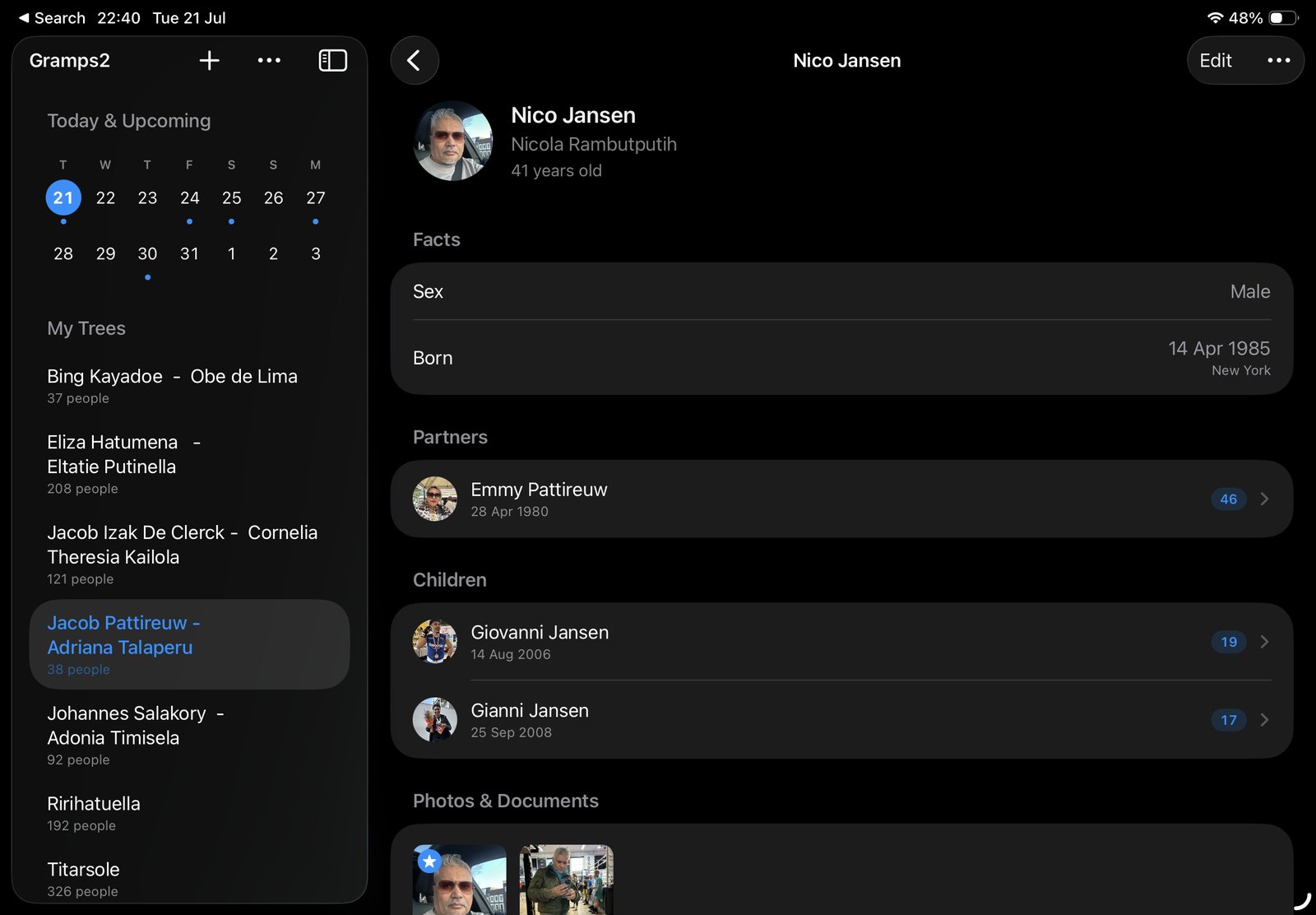
I built Gramps2 because of a question, not because of research. When my mother said we were family of someone, I could never quite picture how. Years later my children asked me the same questions. I wanted a tree the whole family could open and understand. In the terms of this article it is a standalone app, and this is what it does:
- Your tree on your own devices. It is stored on your iPhone, iPad and Mac and syncs through your own iCloud account. There is no account to create and no niApps server holding your family.
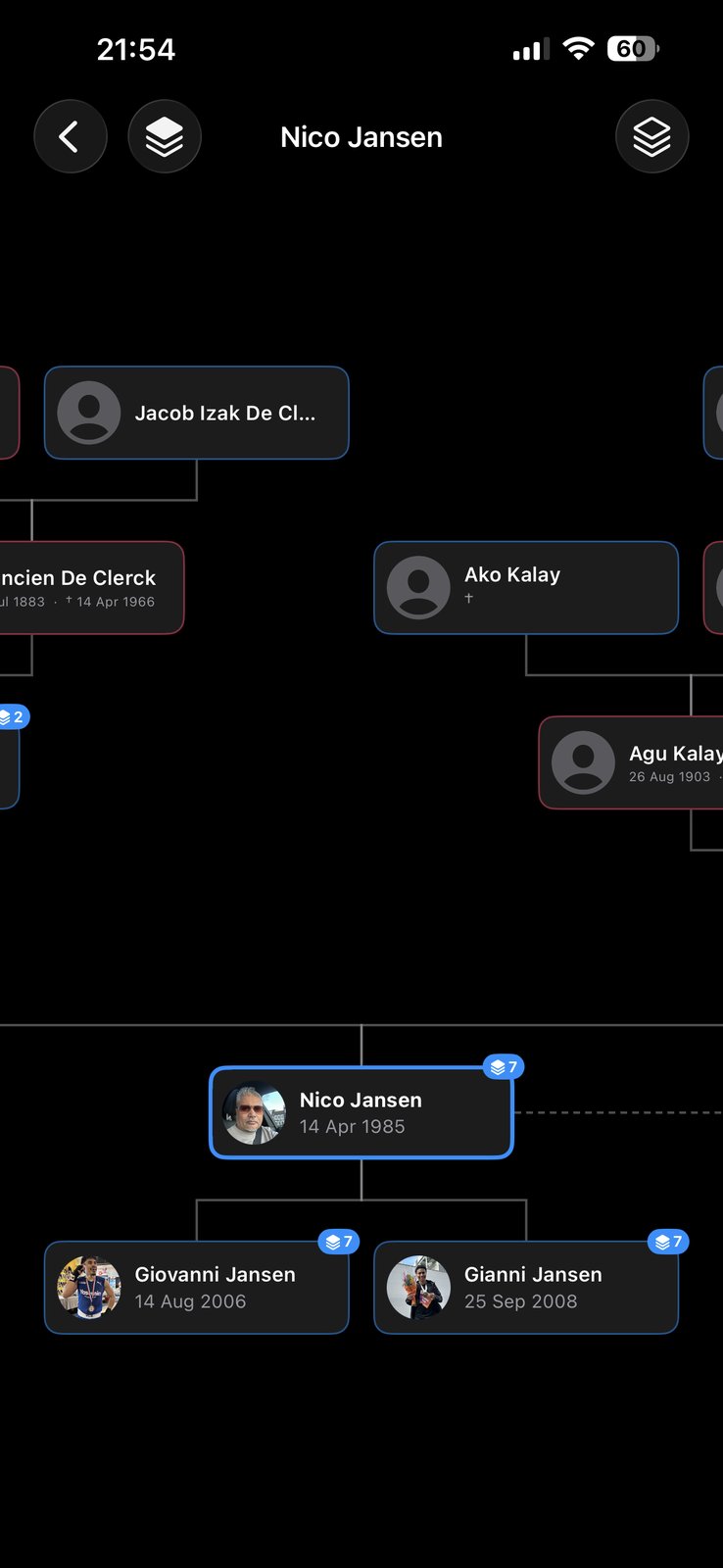
- A chart you can walk through. Put anyone in focus, with ancestors above and descendants below, and tap a relative to re-centre the tree. Export the chart as an image or a PDF.
- Sharing with the people you invite. Invite family members to a tree through iCloud. Everyone sees the same tree and changes sync between all participants. They need the Gramps2 app and an iCloud account.
- Faces and dates. Attach photos and documents to a person, pick a profile picture, and get reminders for birthdays and remembrance days.
- In and out with GEDCOM. Bring an existing tree in from Ancestry, MyHeritage or a desktop genealogy tool, and export any tree as a GEDCOM file again.
And this is where another program is the better choice:
- You want records found for you. Gramps2 has no record collections, hints or DNA matching. Search on a platform or in an archive, and record what you find.
- Your family uses Windows or Android. Gramps2 runs on Apple devices. For a mixed family, a website is easier to share.
- You want AI inside the program. Gramps2 has none built in. Its Copy Summary option puts a plain-text family record on your clipboard, and you decide which assistant, if any, gets to see it.
It combines well with the search platforms above: look for records there, keep your checked tree here. The support page has the GEDCOM import and export steps.
Frequently asked questions
What is the best genealogy software?
There is no single best program, because the three kinds do different jobs. An online platform such as Ancestry, MyHeritage or FamilySearch is best for finding records. A desktop program such as RootsMagic, Family Tree Maker, Gramps or MacFamilyTree is best for detailed research, sources and reports. An app is best for a tree you carry with you and share with family. Many people use one of each.
What is the difference between Ancestry and genealogy software?
Ancestry is an online service: your tree is stored on Ancestry’s servers and connected to its record collections and DNA matches. Genealogy software in the narrow sense is a program on your own computer or device that stores the tree there. Programs such as Family Tree Maker and RootsMagic can exchange data with an Ancestry tree, so you can have both.
Is there free genealogy software?
Yes. FamilySearch Family Tree and WikiTree are free websites built around one shared tree. Gramps is a free, open-source desktop program for Windows, macOS and Linux. Legacy Family Tree has been free since version 10, and RootsMagic offers a free Essentials edition. Several online platforms also let you build a tree without paying and charge for records or for larger trees.
Which genealogy software works on a Mac?
MacFamilyTree and Reunion are made for the Mac. Family Tree Maker, RootsMagic, Heredis and Gramps have both Mac and Windows versions. Gramps2 is a native Mac app that shares its trees with the iPhone and iPad version through iCloud. Legacy Family Tree and Family Historian are Windows programs.
Can I switch genealogy software later?
Yes, through a GEDCOM file. Almost every program and website can export your tree as a .ged file and import one. Names, dates, places and relationships come across; photos, program-specific fields and record hints usually do not. Check that a program can export GEDCOM before you start entering data.
Do I need a subscription to make a family tree?
Not necessarily. Subscriptions on the large platforms mainly pay for access to historical records, hints and DNA features. Recording a tree is possible without one, for example on FamilySearch or in the open-source program Gramps, and many public archives can be searched without a subscription.
Is my family tree private in online genealogy software?
That depends on the platform and on your settings. Most platforms hide living people from other users and let you choose between a public and a private tree, but the data is stored on the company’s servers. On shared trees such as FamilySearch and WikiTree, profiles of deceased people are open for others to see and edit. Read the privacy settings before you add living relatives.
Can several family members work on the same tree?
Yes, in different ways. On Ancestry and MyHeritage you invite relatives to your tree on the site. FamilySearch and WikiTree are one tree that everybody edits. MacFamilyTree and Gramps2 share a tree through Apple’s iCloud. With most other desktop programs one person keeps the file and sends copies or reports to the rest of the family.
Which family tree app works on iPhone, iPad and Mac without an account?
Gramps2 runs on iPhone, iPad and Mac and has nothing to sign up for. Your tree is stored on your devices and in your own iCloud, and syncs between them. You can share a tree with the family members you invite through iCloud, and import and export GEDCOM files to move a tree in or out.
Sources for the facts about other programs: the makers’ own websites, including FamilySearch, the Gramps project, RootsMagic, Legacy Family Tree and Synium. Product names belong to their owners. Found a mistake? Tell me and I’ll correct it.