Genealogy · Beginner’s guide
How to Start a Family Tree: A Beginner’s Guide to Genealogy
Every family has stories that are one generation away from being forgotten. Here’s how to start writing yours down this week, with nothing more than a notebook, a phone call and a little curiosity.
By Nico Jansen, maker of Gramps2··13 min read
🇳🇱 Lees dit artikel in het Nederlands →🇩🇪 Diesen Artikel auf Deutsch lesen →🇫🇷 Lire cet article en français →🇪🇸 Leer este artículo en español →🇮🇹 Leggi questo articolo in italiano →🇵🇹 Ler este artigo em português (Portugal) →🇧🇷 Ler este artigo em português (Brasil) →
The short answer
To start a family tree, begin with yourself and work backwards one generation at a time. Write down what you already know, interview your oldest relatives, collect the documents and photos you have at home, and then confirm each name, date and place with an official record before you add the next generation.
When my mother said we were “family of” someone, I could never quite picture how. A cousin of a cousin? An aunt by marriage? Years later, my own children asked me the very same questions, and I realised I still couldn’t answer them.
That’s how most people arrive at genealogy. Not through a love of archives, but through a simple question at a birthday party: how are we related, exactly? The good news is that answering it has never been easier. Millions of records are online, most of your first sources are a phone call away, and the tree you build can live in your pocket.
This guide walks you through the whole process, from your first note to a tree your whole family can explore. It’s based on what we learned tracing our own Moluccan and Indische family across two continents, including the mistakes.
What is genealogy?
Genealogy is the study of family lineage: finding out who your ancestors were and how they are related to each other, using records as evidence. Three terms get mixed up constantly, and the difference is worth knowing:
- Genealogy is the research. Names, dates, places and the proof that connects one generation to the next.
- A family tree is the result. A chart or database showing those people and their relationships.
- Family history is the story. What your ancestors did for a living, why they moved, what they looked like, what they lived through.
You don’t have to choose. The best family trees have all three: sound research, a clear chart, and enough photos and stories that a ten-year-old wants to keep scrolling.
How to start a family tree in 7 steps
1. Start with yourself
Take a sheet of paper and write your own name in the middle, with your date and place of birth. Add your parents above you, then your grandparents above them. For each person, note four things: full name (including maiden names), birth, marriage, and death, each with a date and a place.
You’ll hit gaps within minutes. That’s the point. Every question mark on that page is a research question, and you now have a to-do list.
2. Interview your oldest relatives
This is the one step with a deadline. Records will still be in the archive in ten years. Your great-aunt’s memory of the village she grew up in may not be. Call, visit, and ask if you can record the conversation on your phone. Questions that reliably open doors:
- What were your parents’ and grandparents’ full names? Did anyone go by a nickname?
- Where was the family from, and when and why did they move?
- Who were the brothers and sisters, including the ones who died young?
- What did people do for work? Did anyone serve in the military?
- Who is in this photo? (Bring the old albums. Photos unlock memories that questions don’t.)
- Is there a family bible, a box of papers, or someone who already “did the family tree”?
Treat everything you hear as a strong lead, not as proof. Family stories bend over time. You’ll verify them in step 6.
3. Gather the paper trail at home
Before you search a single archive, search the attic. Birth and marriage certificates, family bibles, funeral cards, passports, military papers, letters, diplomas and the backs of old photographs all carry names, dates and places. Photograph or scan each one, and write down who has the original.
4. Choose one home for your tree
Paper works for three generations. After that, you need something that can hold hundreds of people, keep photos and documents with the right person, and redraw the chart when you discover a new branch. Pick one place and put everything in it. Scattered notes are how research gets lost.
What to look for: a chart you can actually navigate, room for photos and documents, a way to share with relatives, and GEDCOM import and export so your work is never locked into one product.
5. Work backwards, one generation at a time
Now the detective work starts. The golden rule of genealogy is to move from the known to the unknown. Your grandmother’s marriage record names her parents. Their marriage record names their parents. Each document is a stepping stone to the next.
Resist the temptation to jump straight to a famous namesake in 1650 and work forwards. That’s how people end up with a beautiful tree that belongs to somebody else.
6. Verify every fact and note the source
For every parent-child link, ask: what record proves this? One good document beats ten matching online trees, because those trees have often copied each other. And each time you add a fact, add where it came from: which archive, which register, which page. A source note takes thirty seconds now and saves an evening of re-searching later.
7. Share the tree with your family
A family tree kept on one person’s laptop is a hobby. A family tree the whole family can open is an heirloom. Sharing also makes the research better: an uncle recognises a face, a cousin corrects a date, someone finally digs out that box of letters. And with everyone’s dates in one place, nobody forgets a birthday again.
Which records to look for
Most family trees are built from a handful of record types. Knowing what each one contains tells you which to search for next.
| Record | What it tells you |
|---|---|
| Birth record | Date and place of birth and the names of the parents, often including the mother’s maiden name. |
| Marriage record | Both spouses with their ages, and frequently both sets of parents. The single most useful record for going back a generation. |
| Death record | Date, place and age at death, often with the spouse’s and parents’ names. |
| Census or population register | A whole household at one address: everyone’s age, occupation and birthplace. Great for finding siblings. |
| Church register | Baptisms, marriages and burials. Your main source for the centuries before civil registration. |
| Immigration and military records | Where someone came from, when they travelled, and sometimes a physical description. |
| Newspapers and graves | Family announcements, obituaries and headstones that fill in dates and name relatives. |
When do the records start?
Governments began registering births, marriages and deaths at different moments. Before these dates, you switch to church registers.
| Country | Civil registration starts |
|---|---|
| France | 1792 |
| Netherlands | 1811 nationwide |
| England and Wales | 1837 |
| Scotland | 1855 |
| Ireland | 1864 for all births, marriages and deaths |
| Germany | 1876 nationwide, earlier in some states |
| United States | Varies by state. The federal census has been taken every ten years since 1790. |
One thing surprises every beginner: recent records are closed to protect living people. In the Netherlands, birth records open after 100 years, marriages after 75 and deaths after 50. The United States releases each census 72 years after it was taken, and England and Wales wait 100 years. For the most recent generations, your family is the archive.
Where to find records online
A few platforms cover almost every country. FamilySearch is the world’s largest free collection of records, run by a non-profit. Ancestry and MyHeritage are the big commercial collections, and Find a Grave holds millions of photographed headstones.
After that, go local. National and regional archives usually have the best scans and indexes for their own country, and many are free to search. We keep a list of the ones we return to most, country by country:
Genealogy links for 25+ countries →
Cousins, “removed” and other relationships
Sooner or later someone asks what a “second cousin once removed” is. There are only two rules.
The number tells you which ancestors you share. First cousins share grandparents. Second cousins share great-grandparents. Third cousins share great-great-grandparents.
“Removed” tells you how many generations apart you are. Your first cousin’s child is your first cousin once removed. So is your parent’s first cousin. Two generations apart is twice removed.
| Relationship | The ancestors you share |
|---|---|
| Siblings | Parents |
| First cousins | Grandparents |
| Second cousins | Great-grandparents |
| Third cousins | Great-great-grandparents |
| First cousin once removed | Your grandparents are their great-grandparents, or the other way round |
How many ancestors do you have?
The number doubles every generation, which is why family trees get big so quickly.
| Generations back | Who they are | How many |
|---|---|---|
| 1 | Parents | 2 |
| 2 | Grandparents | 4 |
| 3 | Great-grandparents | 8 |
| 4 | Great-great-grandparents | 16 |
| 5 | 3× great-grandparents | 32 |
| 10 | 8× great-grandparents | 1,024 |
Ten generations is roughly 250 to 300 years. In reality you’ll find fewer than 1,024 distinct people at that level, because distant cousins married each other and the same couple appears in more than one branch. Genealogists call this pedigree collapse, and every family has it.
7 beginner mistakes to avoid
- Copying online trees without checking. Other people’s trees are hints, not sources. One wrong link copied a hundred times is still wrong.
- Assuming the same name means the same person. Villages were full of cousins named after the same grandfather. Match on dates, places and relatives too.
- Searching for only one spelling. Names were written down by ear. Jansen, Janssen, Janszen and Janse can all be one family.
- Ignoring brothers and sisters. When your direct ancestor leaves no trace, a sibling’s marriage or death record often names the parents you’re looking for.
- Losing the women. Record every woman under her maiden name, or half your tree disappears at each marriage.
- Skipping the source note. A fact without a source has to be found twice.
- Waiting to talk to relatives. Archives are patient. People aren’t here forever. Make the call this week.
What is a GEDCOM file?
GEDCOM is the standard file format for exchanging family tree data between genealogy programs. A GEDCOM file ends in .ged and contains your people, their dates and places, and how they are related, as plain text. Almost every genealogy website and app can export and import it, including Ancestry and MyHeritage.
Why it matters: it keeps your research yours. If you ever want to switch tools, you take your tree with you. One limitation to know about is that photos are not embedded in a GEDCOM file, so those are added again after an import. Our support page has step-by-step instructions for exporting from Ancestry and MyHeritage.
Can AI help with genealogy?
Yes, as a research assistant, not as a source. An AI assistant is good at suggesting which archives cover a region and period, listing the ways a surname may have been spelled, explaining an old document, or spotting which dates in a family are still missing.
It is not good at facts about your specific ancestors. Assistants can produce a confident answer that is simply a guess, so always verify a suggestion against an original record before it goes in your tree. And think before you paste: details about living relatives are theirs, not yours, to share.
The quality of the answer depends on the context you give. A lone name gets you nowhere. A person with dates, places, parents, partners and children gets you somewhere. That’s why Gramps2 has a Copy Summary option: it puts a plain-text family record for one person on your clipboard, and you decide which assistant, if any, gets to see it. The app itself has no AI built in and sends your family data nowhere.
Keeping your family tree private
A family tree is the most personal dataset you’ll ever build: full names, birth dates, maiden names, addresses, and the relationships between living people. Before you choose where to keep it, ask three questions.
- Where is the data stored? On your own devices, or on a company’s servers?
- Who can see it? Only people you invite, or anyone who searches the site?
- Can you get it out again? Is there an export, in a standard format?
As a rule of thumb: publish freely about ancestors who died long ago, and ask before sharing anything about relatives who are alive.
From notebook to living tree with Gramps2
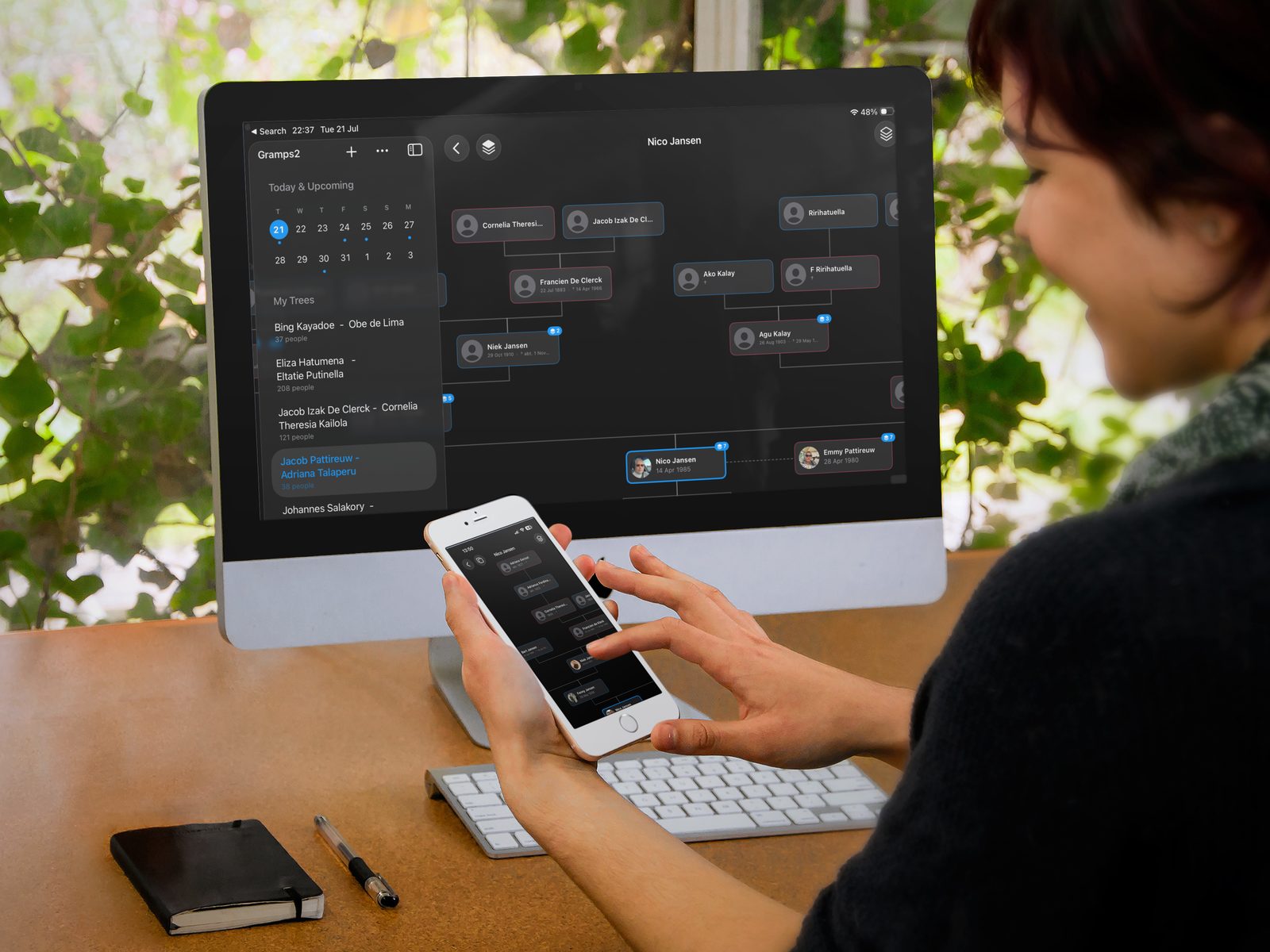
We built Gramps2 for exactly the journey in this guide, because we needed it ourselves. It’s a family tree builder for iPhone, iPad and Mac, and it covers the steps above without getting in the way:
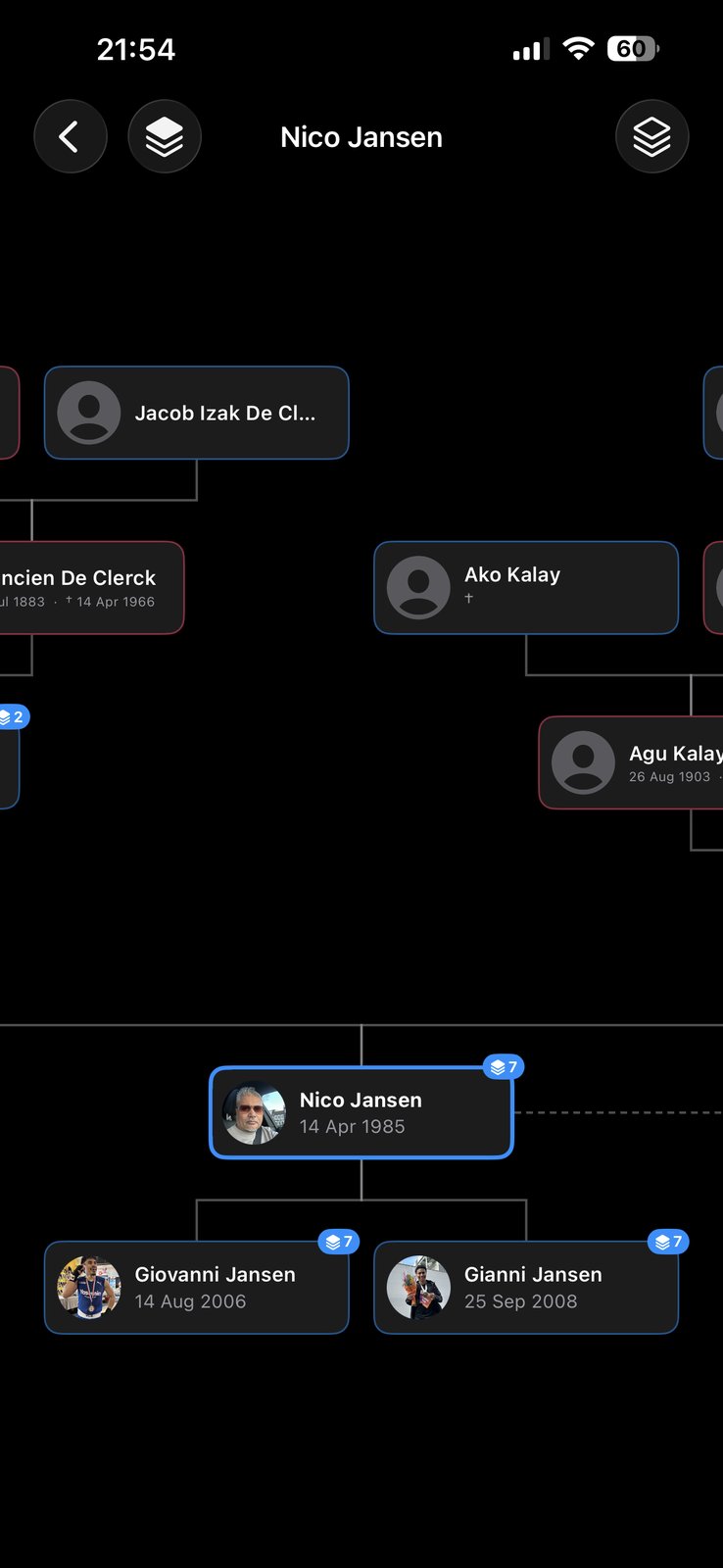
- A chart you can wander through. Put anyone in focus, with ancestors above and descendants below. Pinch to zoom, tap a relative to re-center.
- Faces on every branch. Attach photos and documents to each person and pick a profile picture.
- Shared with the family you invite. Everyone sees the same tree, and changes sync between all participants through iCloud.
- Private by design. Your tree lives on your devices and in your own iCloud. No account to create, and nothing about your family on our servers.
- Never locked in. Import a GEDCOM file from another tool, and export yours the same way.
- The dates that matter. Reminders for birthdays and remembrance days, on iPhone and Apple Watch.
Frequently asked questions
How do I start a family tree?
Start with yourself and work backwards. Write down your own details, then your parents and grandparents, interview your oldest relatives, and collect the documents and photos you have at home. Then confirm each name, date and place with an official record, such as a birth, marriage or death certificate, before you add the next generation.
What is the difference between genealogy and a family tree?
Genealogy is the research: the study of who your ancestors were and how they are related, based on records. A family tree is the result: a chart or database that shows those people and their relationships. Family history goes one step further and adds the stories, photos and context of their lives.
How far back can I trace my family tree?
As far as the written records go. Many families with Western European roots can reach the 1700s or 1600s through church registers, and civil registration covers most of the 1800s onwards. In regions where records were not kept, were lost, or are not public, the trail ends sooner, and family stories and documents become your main source.
How many ancestors do I have?
The number doubles with every generation: 2 parents, 4 grandparents, 8 great-grandparents, 16 great-great-grandparents. Ten generations back, roughly 250 to 300 years, you have 1,024 ancestors in that generation alone. In practice the real number is lower, because distant cousins married each other and the same ancestors appear more than once.
What is a second cousin once removed?
Second cousins share the same great-grandparents. “Once removed” means there is one generation between you. So your second cousin once removed is either the child of your second cousin, or the second cousin of one of your parents.
Do I need a DNA test to build a family tree?
No. A family tree is built from records and family knowledge, and you can go back many generations without a DNA test. A test can help later, to confirm a relationship or get past a dead end, but it comes with privacy questions for you and your relatives, so it is worth thinking through first.
Can I move my family tree from Ancestry or MyHeritage to another app?
Yes. Export your tree as a GEDCOM file (.ged), the standard exchange format for family tree data, and import that file into the other app. Names, dates, places and relationships come across. Photos are not embedded in a GEDCOM file, so you add those again afterwards.
Which family tree app works on iPhone, iPad and Mac?
Gramps2 is a family tree builder for iPhone, iPad and Mac with a companion app for Apple Watch. Your tree is stored on your devices and in your own iCloud, you can share a tree with the family members you invite, and it imports and exports GEDCOM files, so your data is never locked in.